Multi-source news curator with Mistral AI analysis, summaries & custom channels

Flexible News Curator - Multi-Sources, AI Analysis, Summaries, Translation, and Settable Channels
🎬 Overview
The Flexible News Curator workflow can automate the collection, filtering, AI-driven analysis, and summarization of news from diverse sources of your interest. Using customizable search themes, RSS feeds, and (optional) video descriptions, it delivers concise, quality news summaries via configurable channels. This workflow is designed to help reduce information overload and keep you updated effortlessly.
Click the image below to watch the video guide:
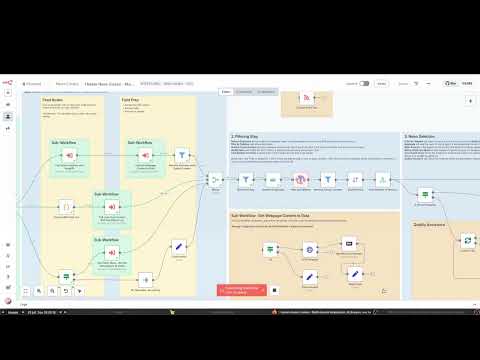
✨ Features
- Multi-Source News Aggregation: Collect news from customizable RSS feeds, SerpAPI, and Video Channel Feeds (if enabled).
- AI-Powered News Selection & Summarization: Uses advanced AI agents (Mistral Cloud Chat Model by default) to select, analyze, and summarize top news.
- Quality Assurance Step: Optional AI-powered filtering to improve news selection quality before analysis.
- Multi-Language Translation & Tone Customization: Translate summaries and customize tone for localized or tailored consumption.
- Multi-Channel Delivery: Send outputs via Email, Telegram, WhatsApp, Webhook, or save to disk.
- Advanced Filtering: Regex-based filtering on URLs, titles, and content to exclude unwanted articles.
- Sub-Workflow Architecture: Modular handling of video transcripts, content retrieval, multi-theme searching, and more.
- Flexible Scheduling & Trigger Options: Supports schedule-based triggering, email (IMAP) triggers, and webhook-based activation.
- (Optional) Video Search: Video content descriptions via Video Channel Feeds.
👤 Who is this for?
This workflow benefits professionals, researchers, marketers, and anyone who needs to stay informed about specific news themes without wasting time on irrelevant information or reading too many news to select the most interesting ones.
💡 What problem does this solve?
The workflow tackles the challenge of information overload by automatically filtering, summarizing, and delivering the essential news tailored to your interests and preferences. It integrates various data sources and channels for comprehensive yet efficient news consumption. Ideal use-cases include:
- Monitoring breakthroughs in research fields
- Receiving daily business opportunity updates (e.g., real estate)
- Lower the cognitive load required to follow your favorite news
- Translating news summaries to your chosen language
🔍 What this workflow does
The workflow gathers news from RSS feeds, search engines, and social media, then:
- Filters duplicates and irrelevant content via custom regex filters and date ranges.
- Applies optional AI-powered Quality Assurance for headline evaluation.
- Selects top news articles with AI analysis focused on user-defined criteria and audience.
- Summarizes individual articles using AI summarization agents, ensuring structured, consistent outputs.
- Optionally translates and adjusts the tone of summaries.
- Distributes summaries through configured channels such as email, social media, messaging apps, or webhook calls.
🔄 Workflow Steps
1. News Gathering
- Fetch news using RSS feeds, SerpAPI search, and optionally video channel feeds.
- Standardize output structures for seamless merging.
- Employ sub-workflows for video transcript retrieval and looping over custom RSS feed lists.
2. Filtering
- Remove duplicates and news outside the specified date range.
- Exclude articles matching user-defined keywords via regex filters in URLs, titles, and content.
- Limit the number of news articles for AI analysis.
3. News Selection
- Optionally invoke an AI Quality Assurance agent to pre-filter headlines.
- Aggregate news for AI analysis.
- Select and summarize top news articles with AI agents using customizable criteria.
- Parse AI responses into defined JSON structures to ensure consistent data.
4. News Summarization
- Prepare individual article content.
- Summarize content with AI agents and validate structured output.
5. Sender Preparation
- Combine general summaries with selected top news summaries.
- Format final summaries as text and HTML suitable for delivery.
- Optionally apply translation and tone adjustment.
6. Sending
- Deliver summaries through selected channels (Email, Telegram, WhatsApp, Webhook).
- Optionally save the output to disk as JSON.
📌 Expected Input / Configuration
The workflow is primarily configured via the Configure Workflow Args node or the Global Variables custom node, with these key parameters:
| Parameter | Description | Type |
| :-- | :-- | :-- |
| search_themes | List of keywords/themes to search in SerpAPI | List of strings |
| datetime_delta | Number of days back to include news from; e.g., 0 = today | Integer |
| link_censor | Regex to exclude unwanted URLs | Regex string |
| title_censor | Regex to exclude unwanted titles | Regex string |
| content_censor | Regex to exclude unwanted content | Regex string |
| use_qa | Flag to enable AI Quality Assurance for headline filtering | Boolean |
| max_news_analysis | Max number of articles sent to News Analyzer | Integer |
| qa_max_news | Number of headlines the QA Agent analyzes | Integer |
| qa_max_top_news | Number of headlines selected by QA Agent | Integer |
| qa_check_criteria | Criteria used by QA Agent to discard low-quality headlines | List of strings |
| qa_select_criteria | Criteria used by QA Agent to rank/select the best headlines | List of strings |
| news_focus | What the News Analyzer should focus on while selecting news | String |
| news_target_audience | Target audience description for the News Analyzer | String |
| news_criteria | Instructions for the News Analyzer to identify relevant news | List of strings |
| language | Language for news summaries; triggers translation if not English | String |
| translator_tone | Tone for translation (e.g., casual, professional) | String |
| translator_notes | Additional instructions for the translator | String |
| email_sender | Email address used for sending (via SMTP) | String |
| email_recipients | Recipient email addresses (comma-separated) | String |
| email_subject | Email subject line | String |
| telegram_chat_id | Telegram chat ID for sending notifications | String |
| phone_number | Phone number for WhatsApp messages | String |
| rss_feeds | Custom list of RSS feeds (objects with link and needs_content_search properties) | JSON array of objects |
| video_rss_feeds | Custom list of video RSS feeds | JSON array of objects |
| enable_video_search | Enable/disable video search functionality | Boolean |
| enabled_senders | List of enabled delivery channels (email, telegram, whatsapp, webhook, save-to-disk) | List of strings |
Hint: To add or combine keywords in censors, use the pattern "keyword1|keyword2|keyword3".
📦 Expected Output
Structured JSON containing a general news summary, top news with summaries, and metadata, suitable for your preferred channel delivery.
📌 Example
An example that includes workflow parameters is provided in a note within the workflow.
⚙️ n8n Setup Used
- n8n version: 1.100.1
- n8n-nodes-serpapi: 0.1.6
- n8n-nodes-globals: 1.1.0
- LLM Model: mistral-small-latest (API)
- IMAP: imap.gmail.com (Port 993)
- Platform: Podman 4.3.1 on Linux
- Date: 2025-07-15
⚡ Requirements to Use / Setup
- Self-hosted n8n instance. (This workflow contains community nodes that are only compatible with the self-hosted version of n8n.)
- Install necessary custom nodes:
- n8n-nodes-serpapi
- n8n-nodes-globals (or use Edit Field (Set) node instead)
- Configure all sub-workflows bundled within this template (see Sub-Workflows Guide).
- Provide valid credentials to nodes for SerpAPI, Telegram, WhatsApp, Mistral Cloud Chat API, and SMTP (for email).
- Custom RSS feed list must be set by you in the workflow args.
- You must either install the SerpAPI custom node or deactivate it.
⚠️ Notes, Assumptions & Warnings
- The workflow timeout is set to 30 minutes by default; adjust depending on your setup and workload.
- Duplicate removal is applied, but occasional overlaps might still appear depending on feed sources.
- This workflow assumes familiarity with n8n, RSS feeds, API key management and regex expressions.
- Video search only works for configured video channels; remember to respect the rights of these channels.
- Using AI agents (Mistral or substitute LLMs) requires access to their API services and keys.
- Out-of-the-box customization is done via the Global Variables node or direct workflow argument edits.
ℹ️ About Us
This workflow was developed by the Hybroht team of AI enthusiasts and developers dedicated to enhancing the capabilities of AI through collaborative processes. Our goal is to create tools that harness the possibilities of AI technology and more. For questions, support, or feature requests, reach out via contact@hybroht.com.
❓ Questions & Issues
We will answer any questions, provided they are related to this workflow.
Please contact us if there is any bug/issue with this workflow. We will assist you.
⚖️ Warranty & Legal Notice
You can view the full license terms here. Please review them before making your purchase.
By purchasing this product, you agree to these terms.
Multi-Source News Curator with Mistral AI Analysis & Custom Channels
This n8n workflow automates the process of curating news from various sources, analyzing it with Mistral AI, and then distributing the summarized content to custom channels like Telegram, WhatsApp, or email. It simplifies news monitoring, content summarization, and personalized content delivery.
What it does
- Triggers on Schedule or Manually: The workflow can be initiated manually or on a predefined schedule.
- Reads RSS Feeds: It fetches the latest articles from configured RSS feeds.
- Processes Email Triggers: It can also be triggered by incoming emails (IMAP) for additional news sources or commands.
- Extracts and Structures Content: Fetches the full content of articles via HTTP requests and processes it.
- Analyzes with Mistral AI: Utilizes a Mistral Cloud Chat Model to analyze and summarize the news content.
- Parses AI Output: Extracts structured information from the AI's response using a Structured Output Parser.
- Filters and Deduplicates: Filters articles based on conditions and removes duplicates to ensure unique content.
- Formats Content: Prepares the news summaries in a readable format (e.g., Markdown).
- Distributes to Channels: Sends the curated and summarized news to various communication channels:
- Telegram: Posts messages to a specified Telegram chat.
- WhatsApp Business Cloud: Sends messages via WhatsApp.
- Email: Dispatches emails with the news summary.
- Error Handling: Includes a "Stop and Error" node for handling unexpected issues.
- Sub-workflow Execution: Can execute a sub-workflow for modularity and reusability of common tasks.
- Webhook Integration: Can be triggered by and respond to webhooks for external system integration.
Prerequisites/Requirements
- n8n Instance: A running n8n instance.
- IMAP Email Account: Credentials for an IMAP email account if using the "Email Trigger (IMAP)" node.
- Mistral AI Account: An API key for the Mistral Cloud Chat Model.
- Telegram Bot Token & Chat ID: If sending messages to Telegram.
- WhatsApp Business Cloud Account: Credentials for WhatsApp Business Cloud if sending messages via WhatsApp.
- SMTP Server Credentials: If sending emails.
- RSS Feed URLs: The URLs of the RSS feeds you wish to monitor.
Setup/Usage
- Import the workflow: Download the JSON and import it into your n8n instance.
- Configure Credentials:
- Set up an IMAP credential for the "Email Trigger (IMAP)" node if you intend to use email as a source.
- Configure a Mistral Cloud Chat Model credential with your Mistral AI API key.
- Set up a Telegram credential with your bot token and chat ID.
- Configure a WhatsApp Business Cloud credential if using WhatsApp.
- Set up an Email (SMTP) credential for sending emails.
- Configure RSS Feeds: In the "RSS Read" node, add the URLs of the RSS feeds you want to curate.
- Customize AI Agent: Adjust the "AI Agent" and "Mistral Cloud Chat Model" nodes to refine the summarization and analysis prompts as needed.
- Define Output Channels:
- In the "Telegram" node, specify the chat ID where news should be posted.
- In the "WhatsApp Business Cloud" node, configure the recipient and message.
- In the "Send Email" node, define the recipient, subject, and body.
- Adjust Logic: Modify the "If" and "Switch" nodes to customize filtering and routing logic based on your specific requirements.
- Activate the workflow: Enable the workflow to run automatically based on its schedule, or execute it manually as needed.
Related Templates
AI-powered code review with linting, red-marked corrections in Google Sheets & Slack
Advanced Code Review Automation (AI + Lint + Slack) Who’s it for For software engineers, QA teams, and tech leads who want to automate intelligent code reviews with both AI-driven suggestions and rule-based linting — all managed in Google Sheets with instant Slack summaries. How it works This workflow performs a two-layer review system: Lint Check: Runs a lightweight static analysis to find common issues (e.g., use of var, console.log, unbalanced braces). AI Review: Sends valid code to Gemini AI, which provides human-like review feedback with severity classification (Critical, Major, Minor) and visual highlights (red/orange tags). Formatter: Combines lint and AI results, calculating an overall score (0–10). Aggregator: Summarizes results for quick comparison. Google Sheets Writer: Appends results to your review log. Slack Notification: Posts a concise summary (e.g., number of issues and average score) to your team’s channel. How to set up Connect Google Sheets and Slack credentials in n8n. Replace placeholders (<YOURSPREADSHEETID>, <YOURSHEETGIDORNAME>, <YOURSLACKCHANNEL_ID>). Adjust the AI review prompt or lint rules as needed. Activate the workflow — reviews will start automatically whenever new code is added to the sheet. Requirements Google Sheets and Slack integrations enabled A configured AI node (Gemini, OpenAI, or compatible) Proper permissions to write to your target Google Sheet How to customize Add more linting rules (naming conventions, spacing, forbidden APIs) Extend the AI prompt for project-specific guidelines Customize the Slack message formatting Export analytics to a dashboard (e.g., Notion or Data Studio) Why it’s valuable This workflow brings realistic, team-oriented AI-assisted code review to n8n — combining the speed of automated linting with the nuance of human-style feedback. It saves time, improves code quality, and keeps your team’s review history transparent and centralized.
 By higashiyama
 Dynamic Hubspot lead routing with GPT-4 and Airtable sales team distribution
AI Agent for Dynamic Lead Distribution (HubSpot + Airtable) 🧠 AI-Powered Lead Routing and Sales Team Distribution This intelligent n8n workflow automates end-to-end lead qualification and allocation by integrating HubSpot, Airtable, OpenAI, Gmail, and Slack. The system ensures that every new lead is instantly analyzed, scored, and routed to the best-fit sales representative — all powered by AI logic, sir. --- 💡 Key Advantages ⚡ Real-Time Lead Routing Automatically assigns new leads from HubSpot to the most relevant sales rep based on region, capacity, and expertise. 🧠 AI Qualification Engine An OpenAI-powered Agent evaluates the lead’s industry, region, and needs to generate a persona summary and routing rationale. 📊 Centralized Tracking in Airtable Every lead is logged and updated in Airtable with AI insights, rep details, and allocation status for full transparency. 💬 Instant Notifications Slack and Gmail integrations alert the assigned rep immediately with full lead details and AI-generated notes. 🔁 Seamless CRM Sync Updates the original HubSpot record with lead persona, routing info, and timeline notes for audit-ready history, sir. --- ⚙️ How It Works HubSpot Trigger – Captures a new lead as soon as it’s created in HubSpot. Fetch Contact Data – Retrieves all relevant fields like name, company, and industry. Clean & Format Data – A Code node standardizes and structures the data for consistency. Airtable Record Creation – Logs the lead data into the “Leads” table for centralized tracking. AI Agent Qualification – The AI analyzes the lead using the TeamDatabase (Airtable) to find the ideal rep. Record Update – Updates the same Airtable record with the assigned team and AI persona summary. Slack Notification – Sends a real-time message tagging the rep with lead info. Gmail Notification – Sends a personalized handoff email with context and follow-up actions. HubSpot Sync – Updates the original contact in HubSpot with the assignment details and AI rationale, sir. --- 🛠️ Setup Steps Trigger Node: HubSpot → Detect new leads. HubSpot Node: Retrieve complete lead details. Code Node: Clean and normalize data. Airtable Node: Log lead info in the “Leads” table. AI Agent Node: Process lead and match with sales team. Slack Node: Notify the designated representative. Gmail Node: Email the rep with details. HubSpot Node: Update CRM with AI summary and allocation status, sir. --- 🔐 Credentials Required HubSpot OAuth2 API – To fetch and update leads. Airtable Personal Access Token – To store and update lead data. OpenAI API – To power the AI qualification and matching logic. Slack OAuth2 – For sending team notifications. Gmail OAuth2 – For automatic email alerts to assigned reps, sir. --- 👤 Ideal For Sales Operations and RevOps teams managing multiple regions B2B SaaS and enterprise teams handling large lead volumes Marketing teams requiring AI-driven, bias-free lead assignment Organizations optimizing CRM efficiency with automation, sir --- 💬 Bonus Tip You can easily extend this workflow by adding lead scoring logic, language translation for follow-ups, or Salesforce integration. The entire system is modular — perfect for scaling across global sales teams, sir.
 By MANISH KUMAR
Track daily moods with AI analysis & reports using GPT-4o, Data Tables & Gmail
Track your daily mood in one tap and receive automated AI summaries of your emotional trends every week and month. Perfect for self-reflection, wellness tracking, or personal analytics. This workflow logs moods sent through a webhook (/mood) into Data Tables, analyzes them weekly and monthly with OpenAI (GPT-4o), and emails you clear summaries and actionable recommendations via Gmail. ⚙️ How It Works Webhook – Mood → Collects new entries (🙂, 😐, or 😩) plus an optional note. Set Mood Data → Adds date, hour, and note fields automatically. Insert Mood Row → Stores each record in a Data Table. Weekly Schedule (Sunday 20:00) → Aggregates the last 7 days and sends a summarized report. Monthly Schedule (Day 1 at 08:00) → Aggregates the last 30 days for a deeper AI analysis. OpenAI Analysis → Generates insights, patterns, and 3 actionable recommendations. Gmail → Sends the full report (chart + AI text) to your inbox. 📊 Example Auto-Email Weekly Mood Summary (last 7 days) 🙂 5 ██████████ 😐 2 ████ 😩 0 Average: 1.7 (Positive 🙂) AI Insights: You’re trending upward this week — notes show that exercise days improved mood. Try keeping short walks mid-week to stabilize energy. 🧩 Requirements n8n Data Tables enabled OpenAI credential (GPT-4o or GPT-4 Turbo) Gmail OAuth2 credential to send summaries 🔧 Setup Instructions Connect your credentials: Add your own OpenAI and Gmail OAuth2 credentials. Set your Data Table ID: Open the Insert Mood Row node and enter your own Data Table ID. Without this, new moods won’t be stored. Replace the email placeholder: In the Gmail nodes, replace your.email@example.com with your actual address. Deploy and run: Send a test POST request to /mood (e.g. { "mood": "🙂", "note": "productive day" }) to log your first entry. ⚠️ Before activating the workflow, ensure you have configured the Data Table ID in the “Insert Mood Row” node. 🧠 AI Analysis Interprets mood patterns using GPT-4o. Highlights trends, potential triggers, and suggests 3 specific actions. Runs automatically every week and month. 🔒 Security No personal data is exposed outside your n8n instance. Always remove or anonymize credential references before sharing publicly. 💡 Ideal For Personal mood journaling and AI feedback Therapists tracking client progress Productivity or self-quantification projects 🗒️ Sticky Notes Guide 🟡 Mood Logging Webhook POST /mood receives mood + optional note. ⚠️ Configure your own Data Table ID in the “Insert Mood Row” node before running. 🟢 Weekly Summary Runs every Sunday 20:00 → aggregates last 7 days → generates AI insights + emails report. 🔵 Monthly Summary Runs on Day 1 at 08:00 → aggregates last 30 days → creates monthly reflection. 🟣 AI Analysis Uses OpenAI GPT-4o to interpret trends and recommend actions. 🟠 Email Delivery Sends formatted summaries to your inbox automatically.
 By Jose Castillo