Learn anything, write a book, design a curriculum

Hey n8n Innovators & Knowledge Seekers! 👋
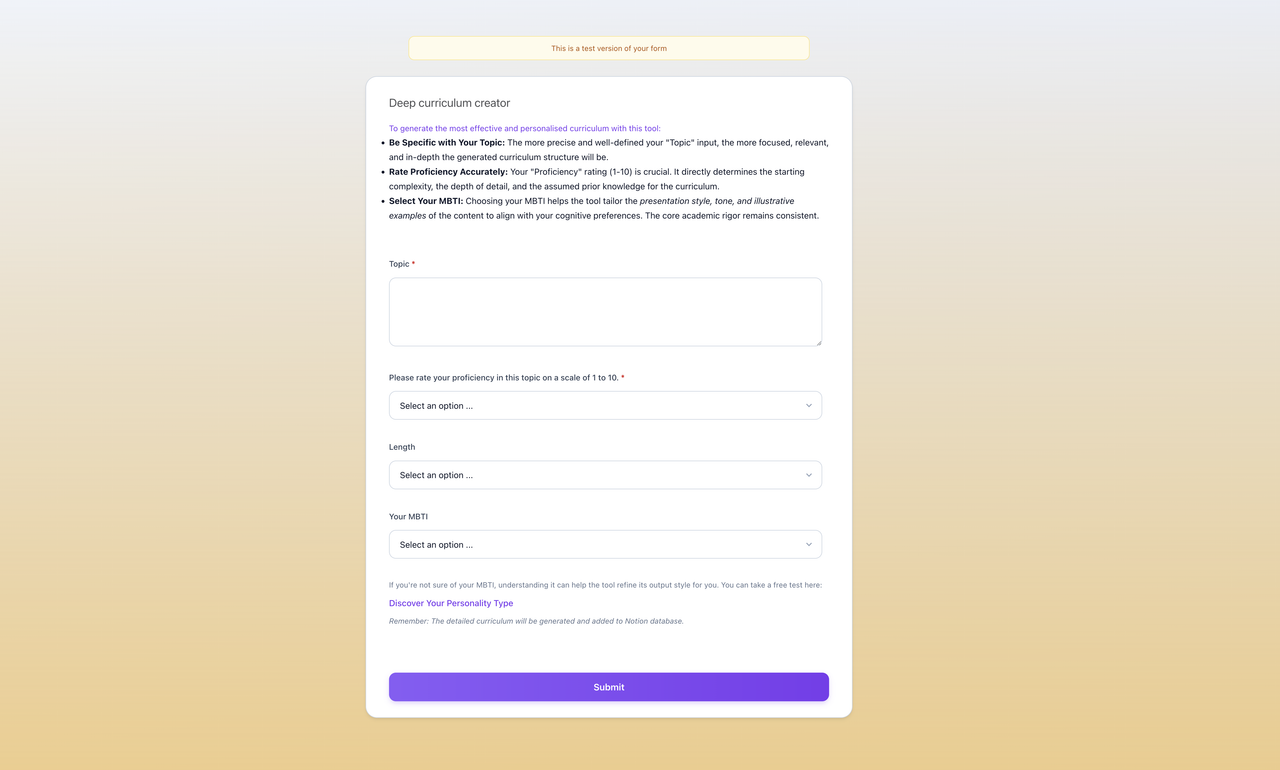
Ever felt that spark? That "aha!" moment when you realize you need to dive deep into a new subject? Or maybe you've got a brilliant idea for a course, a comprehensive guide, or even the seeds of your next groundbreaking book, but the thought of structuring it all makes your brain do a backflip?
What if you had an AI co-pilot, right within n8n, to help you LEARN ANYTHING profoundly, DESIGN A DETAILED CURRICULUM from scratch, or even OUTLINE YOUR NEXT BESTSELLER – and then beam it all into a beautifully organized Notion workspace?
Well, dream no more! I'm super stoked to share a set of n8n workflows I've cooked up that does exactly this.
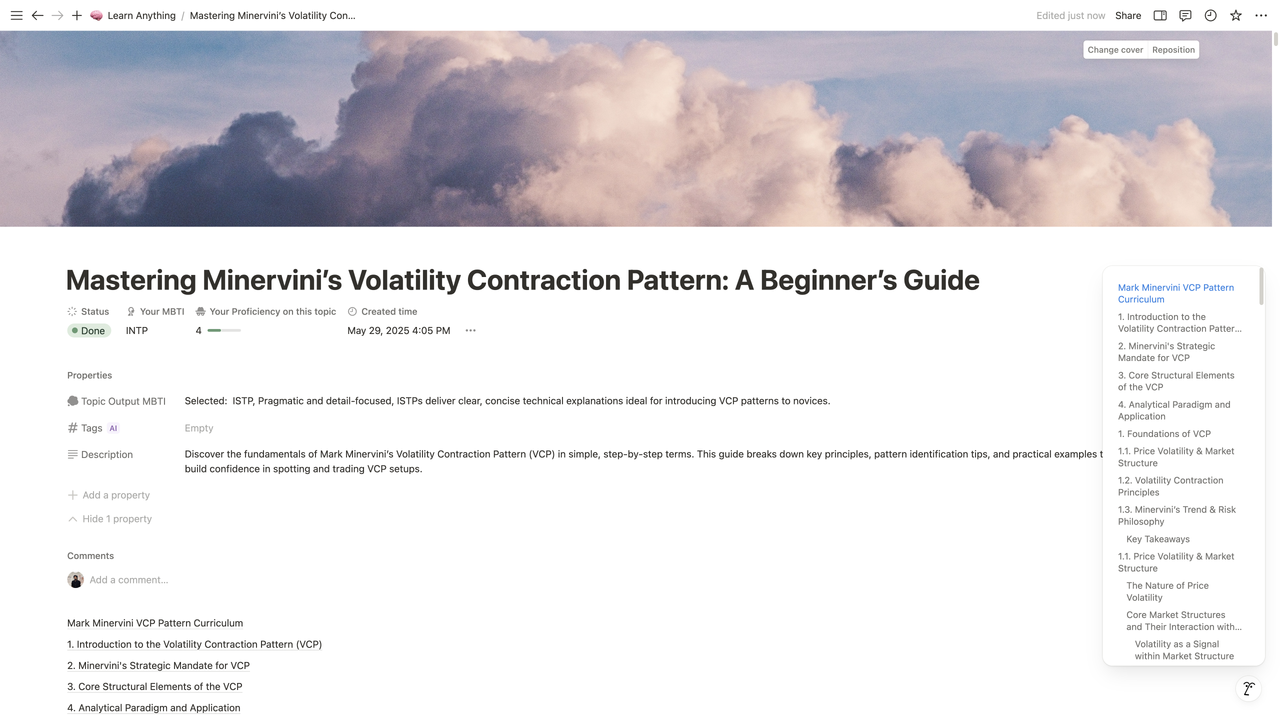
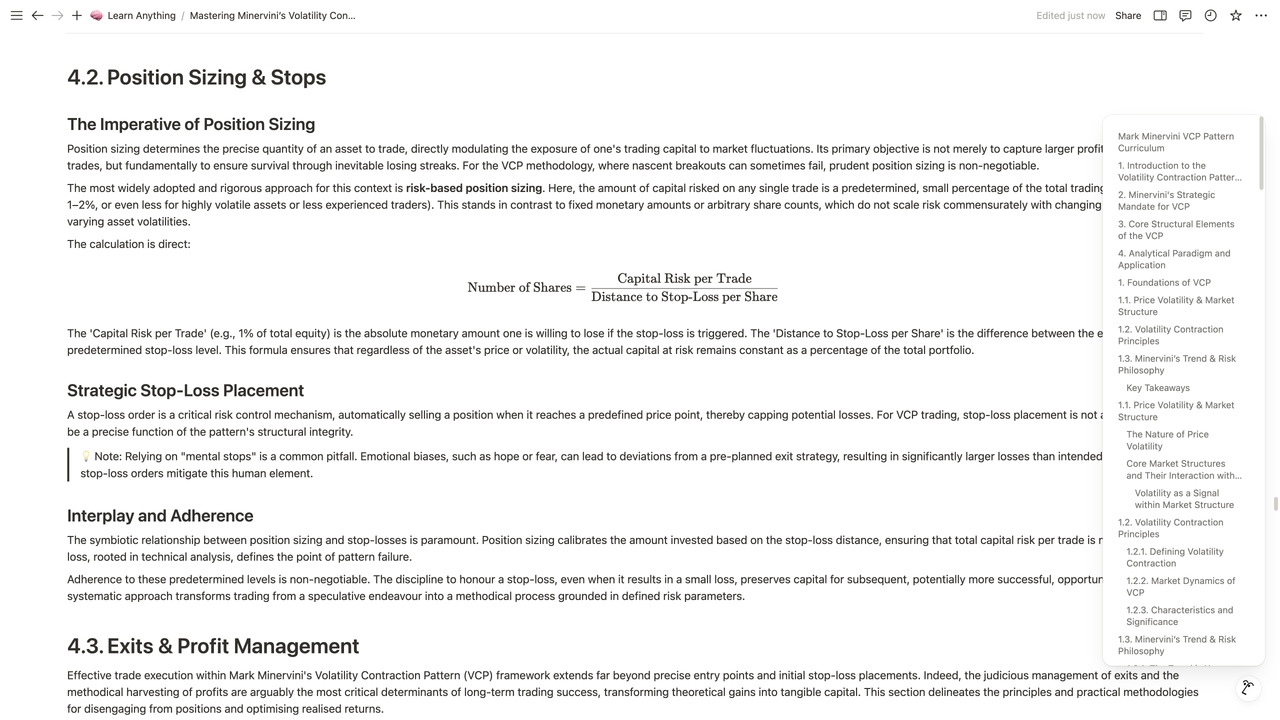
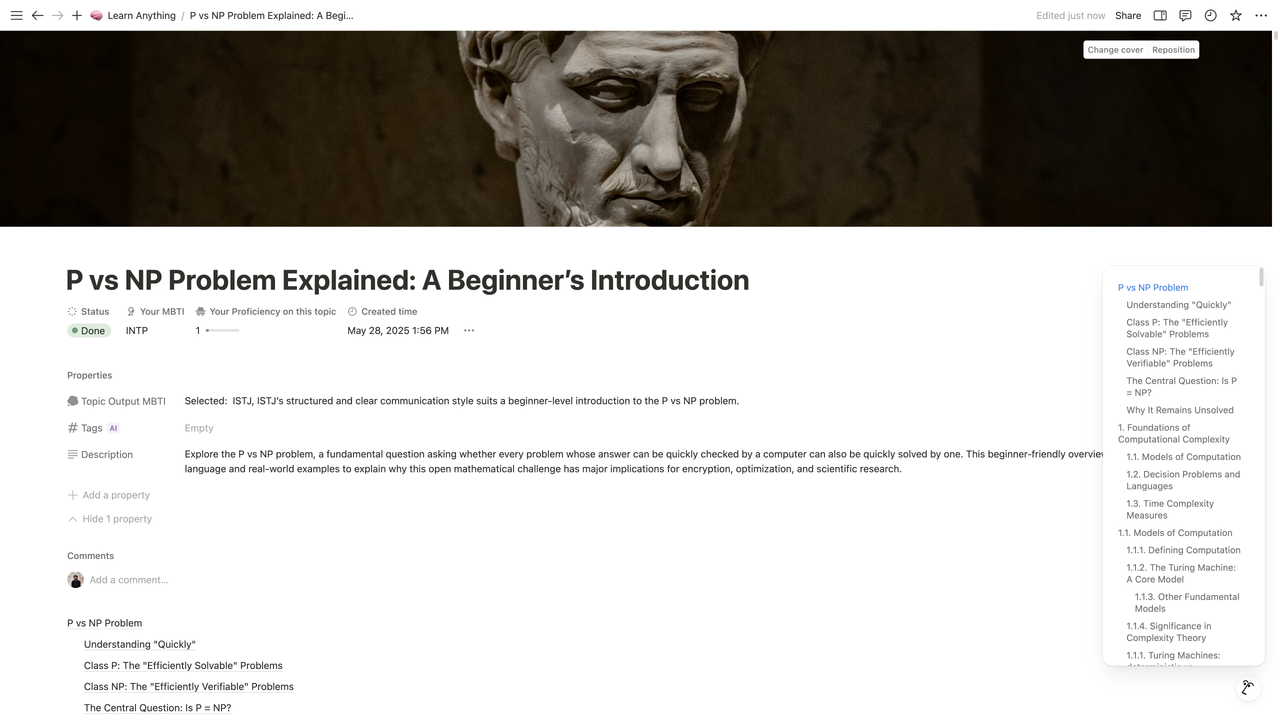
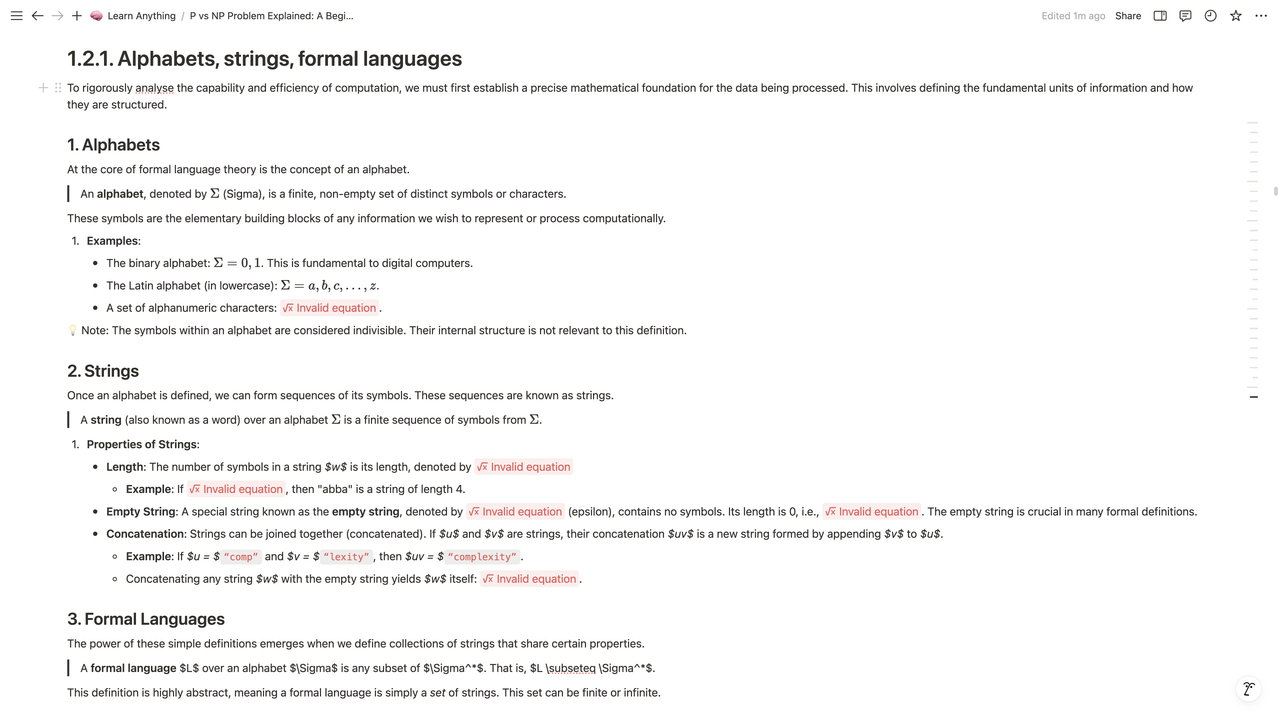
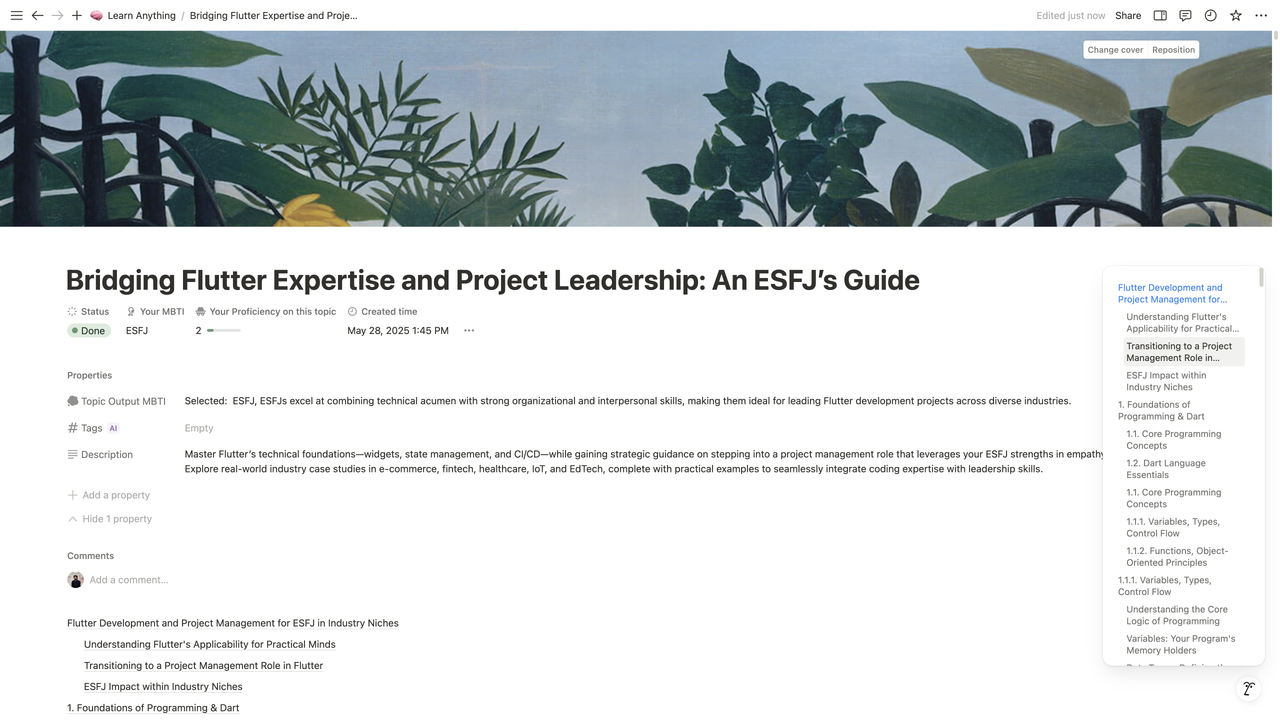
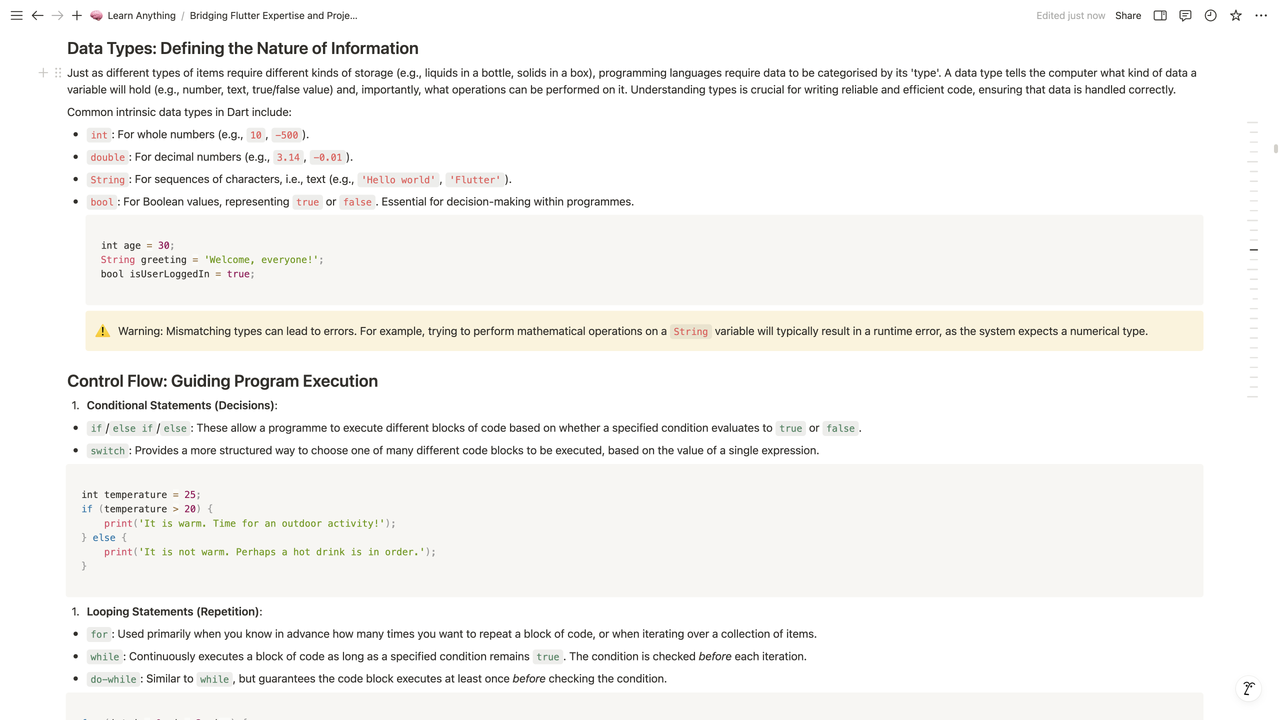
Picture This: You Want To...
- 🚀 Master the Unfamiliar: Finally conquer the intricacies of Decentralized Finance (DeFi), understand the core principles of Permaculture Design, or even get a solid grasp on Cognitive Bias in Decision Making. Just tell the AI your starting point!
- 📚 WRITE THAT BOOK! Been mulling over a guide on Sustainable Urban Living? Or a deep dive into The History of Ancient Philosophies? Let AI generate your chapter outlines, key concepts, and foundational content.
- 🎓 CREATE A WORLD-CLASS CURRICULUM: Planning a workshop on Advanced Data Visualization Techniques? Or an online course on The Fundamentals of Ethical AI Development? Get a comprehensive, Harvard-level syllabus structure in minutes.
- 🧠 Personalize Your Knowledge Journey: Get content adapted not just for your current skill level, but with presentation hints based on cognitive styles (yep, we're playing with MBTI!).
So, How Does This AI Magic Work in n8n?
It's a dynamic duo of workflows:
- The "Learn Anything" Maestro:
- You feed it your topic, how much you know, (optionally) your MBTI, and how deep you want to go via a cool, custom-styled form.
- AI models (via OpenRouter) then get to work, sketching out a full hierarchical curriculum and brainstorming a catchy title and description.
- Then, for every single section in your new plan, our "SeniorWriter" AI crafts rich, detailed content. Think of it as your personal subject matter expert on tap!
- The "Notion Block Ninja" Sub-Workflow:
- This trusty sidekick takes all that awesome Markdown content.
- It intelligently converts it into the precise JSON that Notion loves, ensuring every heading, list, and table looks perfect.
- Then whoosh – it’s all uploaded to your Notion page, organized and ready.
Why Share This? Because Knowledge Should Be Accessible & Creation Fun!
I'm a firm believer that n8n isn't just for business tasks; it's an incredible platform for personal growth, learning, and creative exploration. This project is all about making it easier to dive deep, structure your thoughts, and bring big ideas to life.
Ready to Unleash Your AI Co-Pilot?
I'll be dropping the workflow JSONs and a setup guide (with a handy Notion database template link!) in the comments or a follow-up. You'll just need your Notion API key and an OpenRouter API key (they've got free tiers to get you started exploring!).
Think of the Possibilities! You could be:
- Building custom learning paths for yourself or your team.
- Rapidly prototyping educational content.
- Finally writing that book you've always talked about.
- Just satisfying your endless curiosity on any subject under the sun!
I can't wait to hear what you think, the amazing topics you explore, and any brilliant ideas you have to make this even more powerful!
Let the learning (and creating) begin! 🚀
n8n Workflow: Learn Anything - Book/Curriculum Design with AI
This n8n workflow leverages AI to assist in the design of educational content, specifically for learning new topics, writing books, or designing curricula. It takes a user-defined topic, generates a structured outline, and then expands on individual sections using a large language model.
What it does
This workflow automates the following steps:
- Triggers on Form Submission: Initiates when a user submits a form with a specified topic.
- Generates Initial Outline: Uses a Language Model (LLM) to create a comprehensive outline for the provided topic (e.g., a book or curriculum structure).
- Parses Outline: Structures the LLM's output into a usable JSON format.
- Processes Outline Sections: Iterates through each main section of the generated outline.
- Expands Each Section with AI: For each section, it calls a sub-workflow to further elaborate on the content using an LLM.
- Formats Section Content: The sub-workflow generates detailed content for the section and formats it into Markdown.
- Aggregates Content: Collects all the generated section content.
- Combines and Stores: Merges the expanded content into a single document and potentially stores it in Notion (though the Notion node is currently disconnected, it's present in the workflow).
Prerequisites/Requirements
- n8n Instance: A running n8n instance.
- OpenRouter API Key: This workflow uses the OpenRouter Chat Model, requiring an API key for access to various large language models.
- Notion Account (Optional): If you intend to use the Notion integration, you will need a Notion account and an n8n Notion credential configured.
Setup/Usage
- Import the Workflow: Import the provided JSON into your n8n instance.
- Configure Credentials:
- OpenRouter Chat Model: Configure your OpenRouter API key in the "OpenRouter Chat Model" node.
- Notion (Optional): If connecting the Notion node, set up your Notion credential in n8n.
- Activate the Workflow: Enable the workflow.
- Use the Form Trigger: Access the webhook URL provided by the "On form submission" node and submit a topic to initiate the content generation process.
- Review Output: The generated content will be available as output from the "Merge" node and can be further processed or saved. If the Notion node is connected, the content will be saved there.
Related Templates
Generate song lyrics and music from text prompts using OpenAI and Fal.ai Minimax
Spark your creativity instantly in any chat—turn a simple prompt like "heartbreak ballad" into original, full-length lyrics and a professional AI-generated music track, all without leaving your conversation. 📋 What This Template Does This chat-triggered workflow harnesses AI to generate detailed, genre-matched song lyrics (at least 600 characters) from user messages, then queues them for music synthesis via Fal.ai's minimax-music model. It polls asynchronously until the track is ready, delivering lyrics and audio URL back in chat. Crafts original, structured lyrics with verses, choruses, and bridges using OpenAI Submits to Fal.ai for melody, instrumentation, and vocals aligned to the style Handles long-running generations with smart looping and status checks Returns complete song package (lyrics + audio link) for seamless sharing 🔧 Prerequisites n8n account (self-hosted or cloud with chat integration enabled) OpenAI account with API access for GPT models Fal.ai account for AI music generation 🔑 Required Credentials OpenAI API Setup Go to platform.openai.com → API keys (sidebar) Click "Create new secret key" → Name it (e.g., "n8n Songwriter") Copy the key and add to n8n as "OpenAI API" credential type Test by sending a simple chat completion request Fal.ai HTTP Header Auth Setup Sign up at fal.ai → Dashboard → API Keys Generate a new API key → Copy it In n8n, create "HTTP Header Auth" credential: Name="Fal.ai", Header Name="Authorization", Header Value="Key [Your API Key]" Test with a simple GET to their queue endpoint (e.g., /status) ⚙️ Configuration Steps Import the workflow JSON into your n8n instance Assign OpenAI API credentials to the "OpenAI Chat Model" node Assign Fal.ai HTTP Header Auth to the "Generate Music Track", "Check Generation Status", and "Fetch Final Result" nodes Activate the workflow—chat trigger will appear in your n8n chat interface Test by messaging: "Create an upbeat pop song about road trips" 🎯 Use Cases Content Creators: YouTubers generating custom jingles for videos on the fly, streamlining production from idea to audio export Educators: Music teachers using chat prompts to create era-specific folk tunes for classroom discussions, fostering interactive learning Gift Personalization: Friends crafting anniversary R&B tracks from shared memories via quick chats, delivering emotional audio surprises Artist Brainstorming: Songwriters prototyping hip-hop beats in real-time during sessions, accelerating collaboration and iteration ⚠️ Troubleshooting Invalid JSON from AI Agent: Ensure the system prompt stresses valid JSON; test the agent standalone with a sample query Music Generation Fails (401/403): Verify Fal.ai API key has minimax-music access; check usage quotas in dashboard Status Polling Loops Indefinitely: Bump wait time to 45-60s for complex tracks; inspect fal.ai queue logs for bottlenecks Lyrics Under 600 Characters: Tweak agent prompt to enforce fuller structures like [V1][C][V2][B][C]; verify output length in executions
 By Daniel Nkencho
Synchronizing WooCommerce inventory and creating products with Google Gemini AI and BrowserAct
Synchronize WooCommerce Inventory & Create Products with Gemini AI & BrowserAct This sophisticated n8n template automates WooCommerce inventory management by scraping supplier data, updating existing products, and intelligently creating new ones with AI-formatted descriptions. This workflow is essential for e-commerce operators, dropshippers, and inventory managers who need to ensure their product pricing and stock levels are synchronized with multiple third-party suppliers, minimizing overselling and maximizing profit. --- Self-Hosted Only This Workflow uses a community contribution and is designed and tested for self-hosted n8n instances only. --- How it works The workflow is typically run by a Schedule Trigger (though a Manual Trigger is also shown) to check stock automatically. It reads a list of suppliers and their inventory page URLs from a central Google Sheet. The workflow loops through each supplier: A BrowserAct node scrapes the current stock and price data from the supplier's inventory page. A Code node parses this bulk data into individual product items. It then loops through each individual product found. The workflow checks WooCommerce to see if the product already exists based on its name. If the product exists: It proceeds to update the existing product's price and stock quantity. If the product DOES NOT exist: An If node checks if the missing product's category matches a predefined type (optional filtering). If it passes the filter, a second BrowserAct workflow scrapes detailed product attributes from a dedicated product page (e.g., DigiKey). An AI Agent (Gemini) transforms these attributes into a specific, styled HTML table for the product description. Finally, the product is created in WooCommerce with all scraped details and the AI-generated description. Error Handling: Multiple Slack nodes are configured to alert your team immediately if any scraping task fails or if the product update/creation process encounters an issue. Note: This workflow does not support image uploads for new products. To enable this functionality, you must modify both the n8n and BrowserAct workflows. --- Requirements BrowserAct API account for web scraping BrowserAct n8n Community Node -> (n8n Nodes BrowserAct) BrowserAct templates named “WooCommerce Inventory & Stock Synchronization” and “WooCommerce Product Data Reconciliation” Google Sheets credentials for the supplier list WooCommerce credentials for product management Google Gemini account for the AI Agent Slack credentials for error alerts --- Need Help? How to Find Your BrowseAct API Key & Workflow ID How to Connect n8n to Browseract How to Use & Customize BrowserAct Templates How to Use the BrowserAct N8N Community Node --- Workflow Guidance and Showcase STOP Overselling! Auto-Sync WooCommerce Inventory from ANY Supplier
 By Madame AI Team | Kai
Tax deadline management & compliance alerts with GPT-4, Google Sheets & Slack
AI-Driven Tax Compliance & Deadline Management System Description Automate tax deadline monitoring with AI-powered insights. This workflow checks your tax calendar daily at 8 AM, uses GPT-4 to analyze upcoming deadlines across multiple jurisdictions, detects overdue and critical items, and sends intelligent alerts via email and Slack only when immediate action is required. Perfect for finance teams and accounting firms who need proactive compliance management without manual tracking. 🏛️🤖📊 Good to Know AI-Powered: GPT-4 provides risk assessment and strategic recommendations Multi-Jurisdiction: Handles Federal, State, and Local tax requirements automatically Smart Alerts: Only notifies executives when deadlines are overdue or critical (≤3 days) Priority Classification: Categorizes deadlines as Overdue, Critical, High, or Medium priority Dual Notifications: Critical alerts to leadership + daily summaries to team channel Complete Audit Trail: Logs all checks and deadlines to Google Sheets for compliance records How It Works Daily Trigger - Runs at 8:00 AM every morning Fetch Data - Pulls tax calendar and company configuration from Google Sheets Analyze Deadlines - Calculates days remaining, filters by jurisdiction/entity type, categorizes by priority AI Analysis - GPT-4 provides strategic insights and risk assessment on upcoming deadlines Smart Routing - Only sends alerts if overdue or critical deadlines exist Critical Alerts - HTML email to executives + Slack alert for urgent items Team Updates - Slack summary to finance channel with all upcoming deadlines Logging - Records compliance check results to Google Sheets for audit trail Requirements Google Sheets Structure Sheet 1: TaxCalendar DeadlineID | DeadlineName | DeadlineDate | Jurisdiction | Category | AssignedTo | IsActive FED-Q1 | Form 1120 Q1 | 2025-04-15 | Federal | Income | John Doe | TRUE Sheet 2: CompanyConfig (single row) Jurisdictions | EntityType | FiscalYearEnd Federal, California | Corporation | 12-31 Sheet 3: ComplianceLog (auto-populated) Date | AlertLevel | TotalUpcoming | CriticalCount | OverdueCount 2025-01-15 | HIGH | 12 | 3 | 1 Credentials Needed Google Sheets - Service Account OAuth2 OpenAI - API Key (GPT-4 access required) SMTP - Email account for sending alerts Slack - Bot Token with chat:write permission Setup Steps Import workflow JSON into n8n Add all 4 credentials Replace these placeholders: YOURTAXCALENDAR_ID - Tax calendar sheet ID YOURCONFIGID - Company config sheet ID YOURLOGID - Compliance log sheet ID C12345678 - Slack channel ID tax@company.com - Sender email cfo@company.com - Recipient email Share all sheets with Google service account email Invite Slack bot to channels Test workflow manually Activate the trigger Customizing This Workflow Change Alert Thresholds: Edit "Analyze Deadlines" node: Critical: Change <= 3 to <= 5 for 5-day warning High: Change <= 7 to <= 14 for 2-week notice Medium: Change <= 30 to <= 60 for 2-month lookout Adjust Schedule: Edit "Daily Tax Check" trigger: Change hour/minute for different run time Add multiple trigger times for tax season (8 AM, 2 PM, 6 PM) Add More Recipients: Edit "Send Email" node: To: cfo@company.com, director@company.com CC: accounting@company.com BCC: archive@company.com Customize Email Design: Edit "Format Email" node to change colors, add logo, or modify layout Add SMS Alerts: Insert Twilio node after "Is Critical" for emergency notifications Integrate Task Management: Add HTTP Request node to create tasks in Asana/Jira for critical deadlines Troubleshooting | Issue | Solution | |-------|----------| | No deadlines found | Check date format (YYYY-MM-DD) and IsActive = TRUE | | AI analysis failed | Verify OpenAI API key and account credits | | Email not sending | Test SMTP credentials and check if critical condition met | | Slack not posting | Invite bot to channel and verify channel ID format | | Permission denied | Share Google Sheets with service account email | 📞 Professional Services Need help with implementation or customization? Our team offers: 🎯 Custom workflow development 🏢 Enterprise deployment support 🎓 Team training sessions 🔧 Ongoing maintenance 📊 Custom reporting & dashboards 🔗 Additional API integrations Discover more workflows – Get in touch with us
 By Oneclick AI Squad