Generate & publish SEO-optimized Shopify blog articles with Gemini & ChatGPT

AI Powered Blog Automation for Shopify
>Watch the Youtube Tutorial Video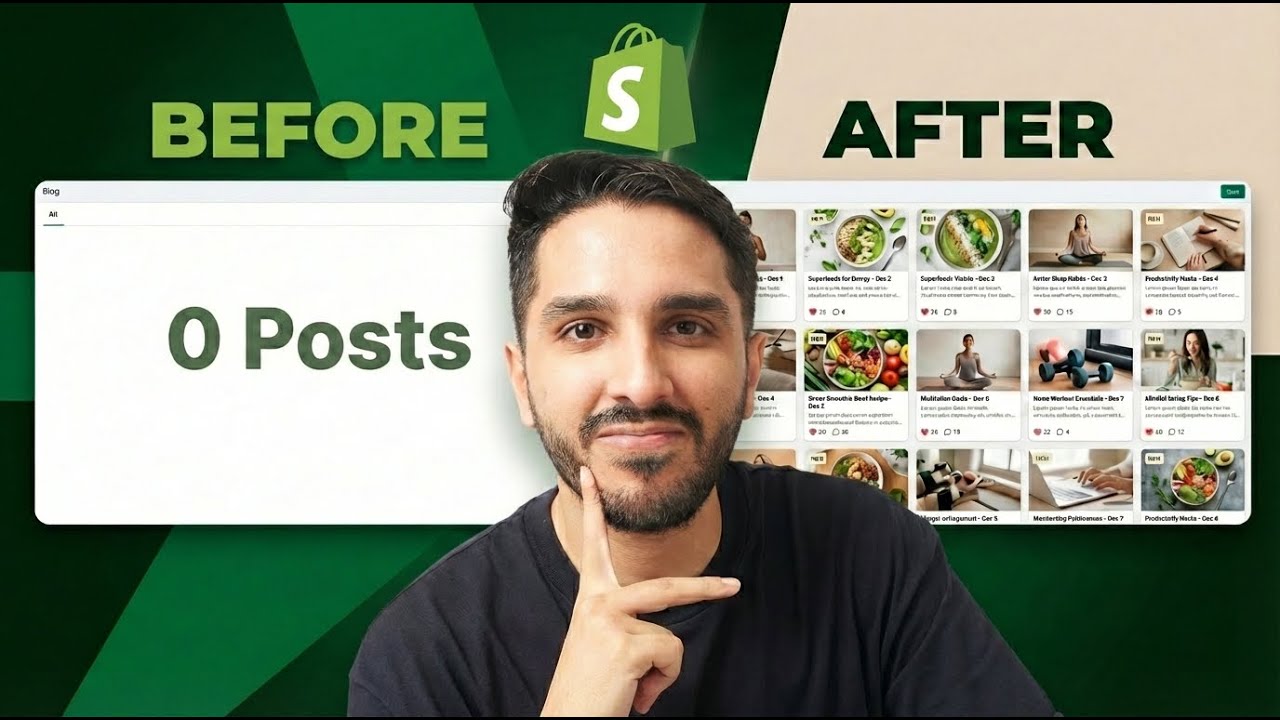
Transform Your Shopify Store with Automated, AI Generated Blog Content
Stop struggling with content creation. This n8n workflow automatically generates high quality, SEO optimized blog posts for your Shopify store every single day while you focus on growing your business.
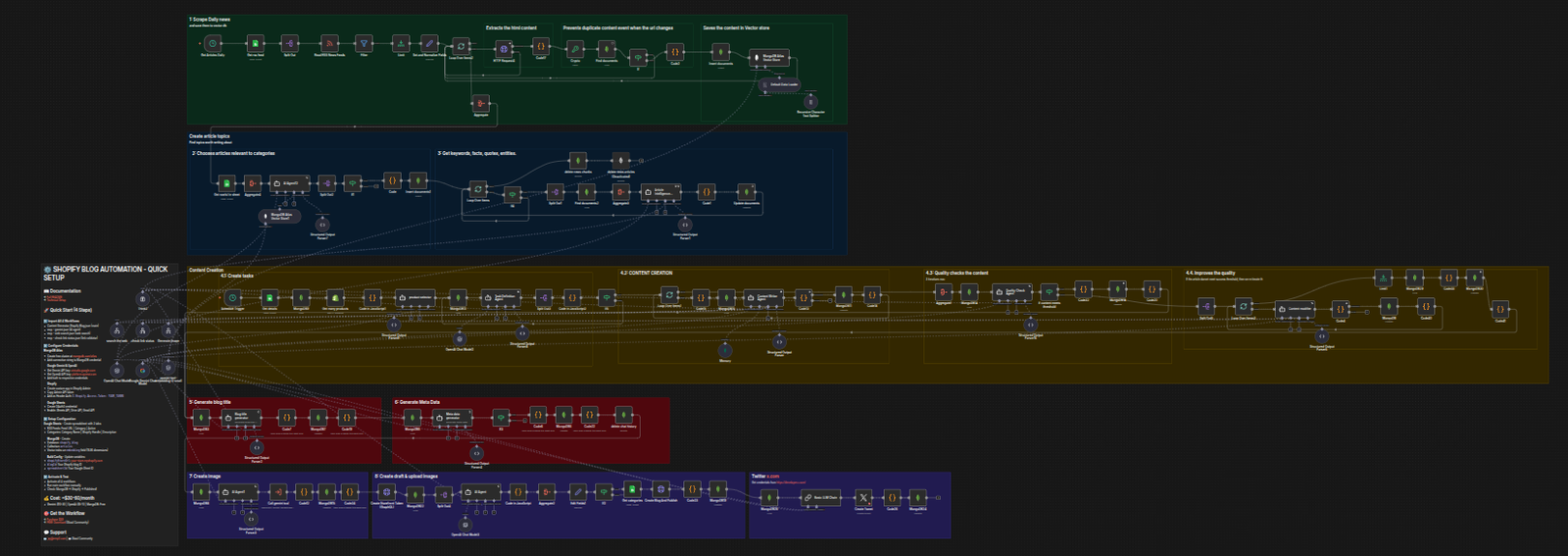
See It In Action: Real Results from Pink Matcha
Visit Pink Matcha Blog - A real Shopify store powered by this exact workflow.
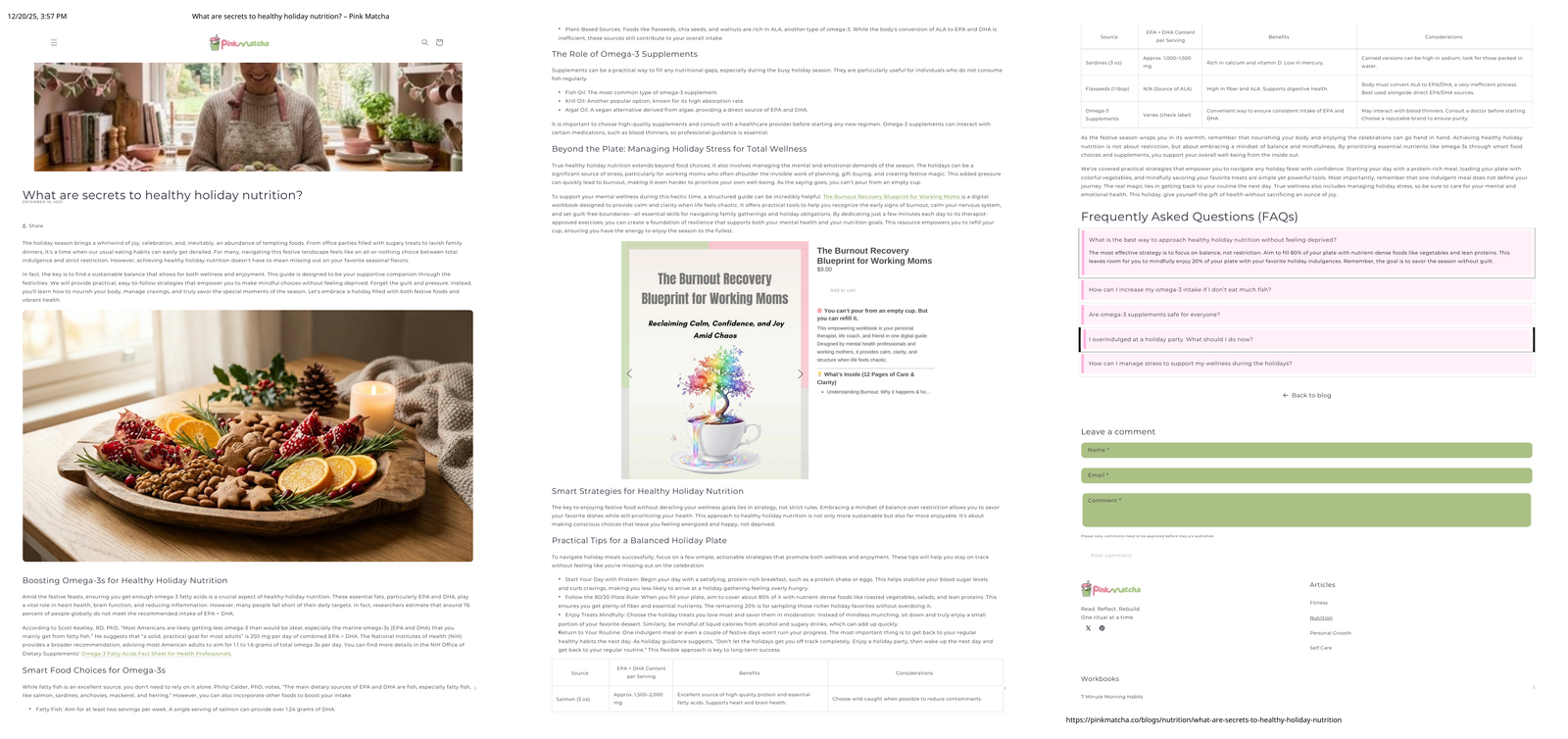
Real Traffic, Real Results
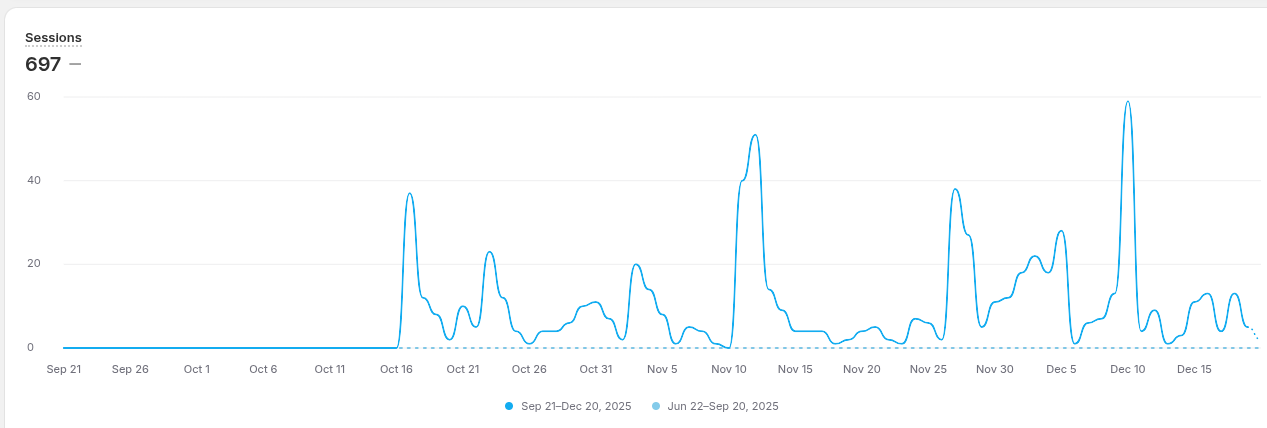
- 50+ SEO optimized articles published automatically
- Consistent daily content without hiring writers
- Multiple categories with targeted content
- Professional formatting that converts visitors to customers
What You're Getting
✅ Automated Content Generation
- AI creates unique articles from curated industry sources
- SEO optimized with proper headings, keywords, and meta descriptions
- 800 to 1200 words per article with actionable insights
- Plagiarism free content that ranks in Google
✅ Multi Category Organization
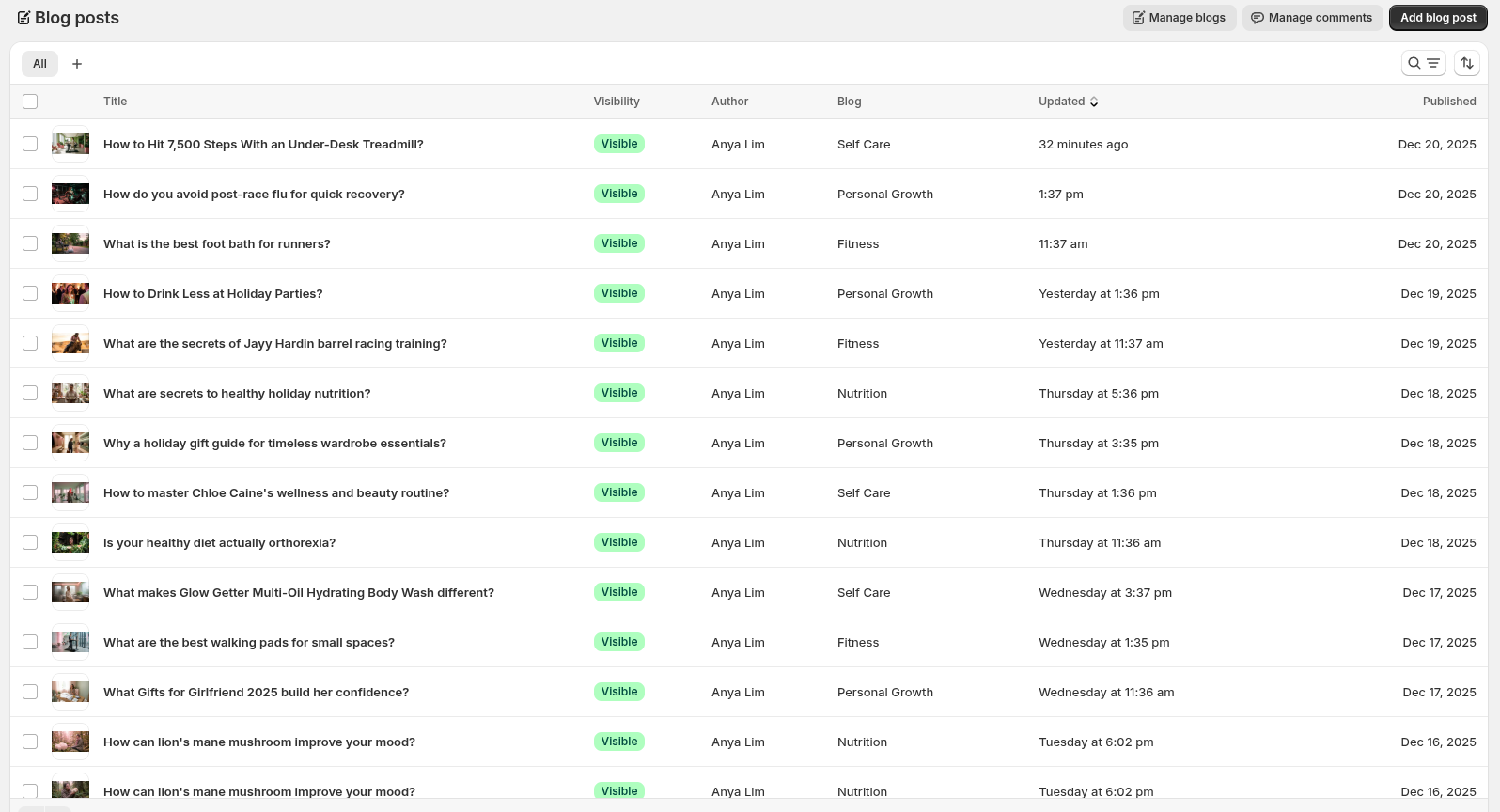
- Fitness, Nutrition, Wellness, Personal Growth, or YOUR niche
- Each category gets targeted, relevant content
- Build authority across your entire product range
- Cross sell opportunities through strategic content
✅ Direct Shopify Integration
- One click publishing to your Shopify blog
- Professional HTML formatting
- Automatic categorization
- SEO metadata included
- Draft or publish modes
✅ Multi Blog Support
- Manage multiple blogs within the same Shopify store
- Create separate blogs for different product lines or audiences
- Each blog can have its own RSS feeds and categories
- Run workflows independently or simultaneously
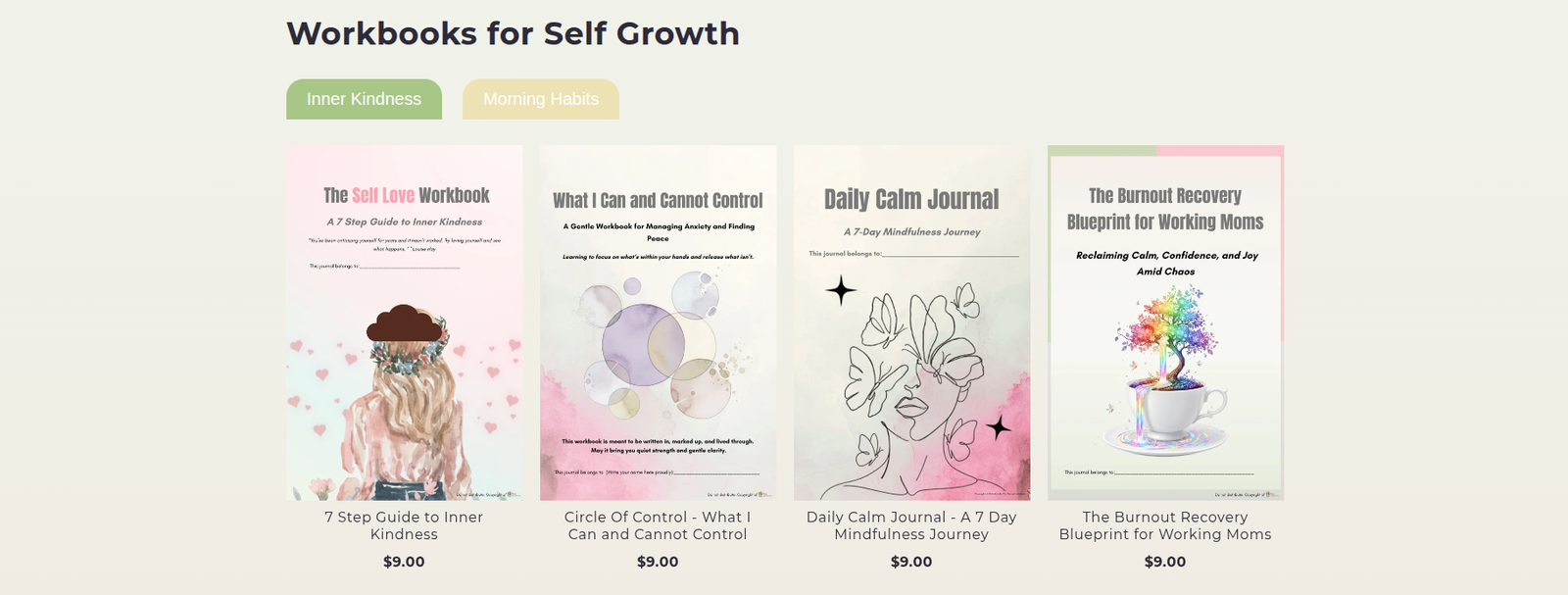
✅ Smart Product Integration
- Automatically embed product links within articles
- AI intelligently references relevant products from your catalog
- Include product cards, images, and CTAs
- Drive traffic directly to product pages
- Turn readers into buyers with strategic product placement
✅ AI Generated Featured Images
- Automatically creates branded images for every blog post
- AI generates custom visuals that match your brand style
- Include your logo or signature products in every image
- Customizable style instructions for perfect brand consistency
- No need for stock photos or graphic designers
- Every article gets a unique, professional featured image
✅ Smart Content Intelligence
- MongoDB vector search prevents duplicate topics
- Sources content from trusted RSS feeds in your niche
- Learns your brand voice
- Maintains consistency across all articles
🔥 Game Changing Features
Multiple Blogs, One Workflow

Run multiple blogs within the same Shopify store:
- Create separate blogs for different product lines (e.g., Men's vs Women's, Premium vs Budget)
- Target different audiences with customized content strategies
- Each blog has its own RSS feeds, categories, and publishing schedule
- Manage everything from a single n8n instance
- Perfect for multi brand stores or diverse product catalogs
Example Use Cases:
- Fashion Store: Separate blogs for Men, Women, Kids, and Accessories
- Wellness Store: Different blogs for Fitness, Nutrition, Mental Health, and Supplements
- Tech Store: Blogs for Gadgets, Software Reviews, How To Guides, and Industry News
Intelligent Product Integration
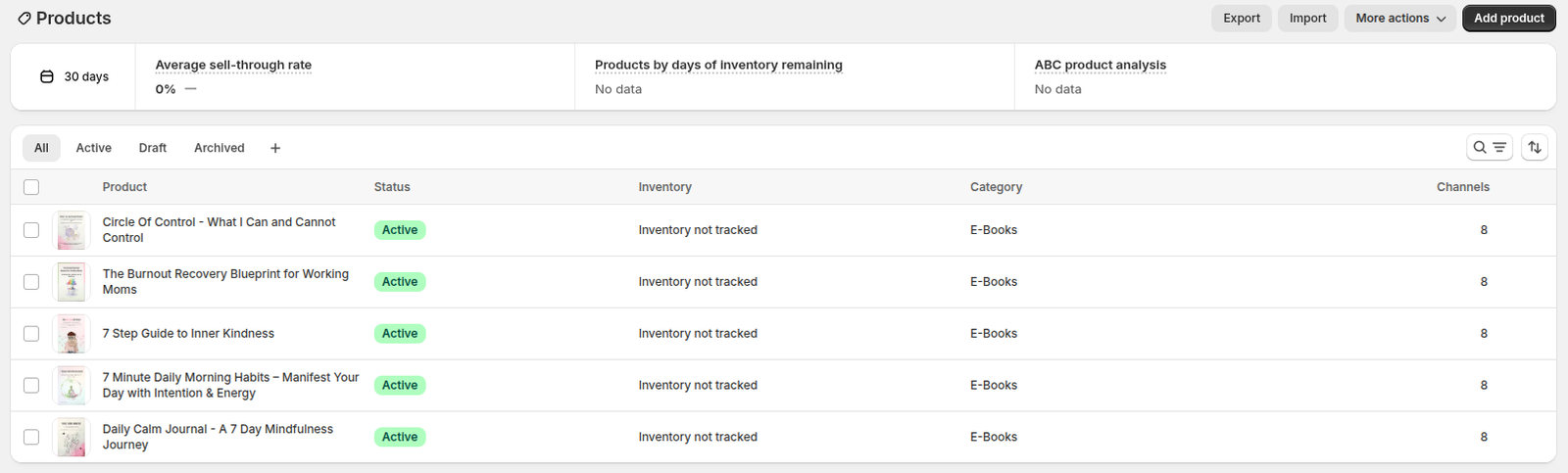
AI automatically embeds your products within blog content:
- Analyzes article topics and matches relevant products from your catalog
- Inserts product cards with images, descriptions, and "Buy Now" buttons
- Creates contextual product mentions throughout the article
- Links to product pages to drive direct sales
- Customizable product placement rules
Turn Every Article Into a Sales Machine:
- Blog post about "Best Workout Routines" → Automatically includes your yoga mats, resistance bands, and protein powder
- Article on "Winter Skincare Tips" → Embeds your moisturizers, serums, and face masks
- Guide to "Home Office Setup" → Features your desk organizers, chairs, and lighting products
AI Generated Featured Images with Brand Consistency
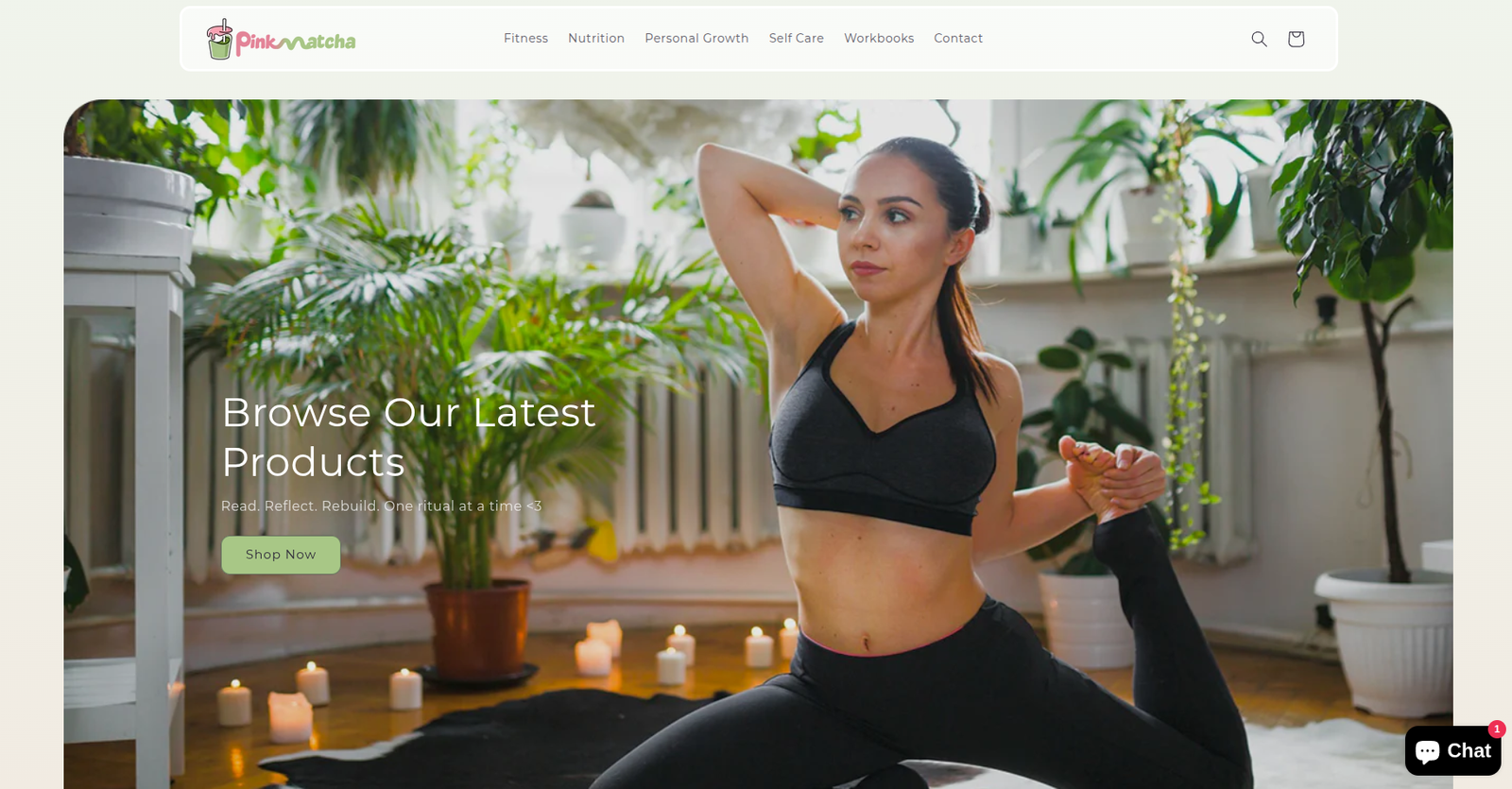
Every article gets a unique, professionally designed featured image:
- AI generates custom images matching your brand aesthetic
- Automatically includes your logo or signature product in each image
- Configure your brand style once, AI applies it to all future images
- Customizable image generation instructions for perfect consistency
- Wide, natural looking scenes (no generic stock photo vibes)
- No need for Canva, designers, or stock photo subscriptions
How It Works:
- Configure your Branding Logo (product image or logo URL)
- Set your Branding Style ("Image should contain a girl holding this drink")
- Define Image Style guidelines ("Wide, natural scene with no square framing")
- AI automatically generates unique images for each article topic
- Images are uploaded to Shopify and set as featured images
Example:
- Article: "5 Morning Rituals for Better Energy"
- Generated Image: Wide, natural scene of a person holding Pink Matcha drink during sunrise, perfectly matching your brand aesthetic
No more spending hours on:
- Finding stock photos
- Editing images in Canva
- Ensuring brand consistency
- Resizing for different platforms
- Worrying about image licensing
Why Store Owners Love This Workflow
💰 Save Thousands on Content Creation
Traditional Approach:
- Freelance writers: $100 to 300 per article
- 30 articles/month = $3,000 to 9,000/month
- Plus time for editing, SEO, uploading, formatting
With This Workflow:
- $30 to 60/month in API costs
- Unlimited articles
- Zero manual work
- Save $2,940 to 8,940 per month
⏰ Reclaim Your Time
Before:
- 4 to 6 hours writing each article
- 2 hours researching topics
- 1 hour formatting and uploading
- 7+ hours per article
After:
- Click one button
- AI generates, formats, and publishes
- 0 hours of your time
📈 Grow Your Organic Traffic
- Fresh content signals to Google you're active
- More pages = more chances to rank
- Long tail keywords across every article
- Internal linking boosts your entire site
🎯 Perfect for E commerce
- Educational content that supports your products
- How to guides featuring your items
- Category pages that drive purchase decisions
- Build trust before customers buy
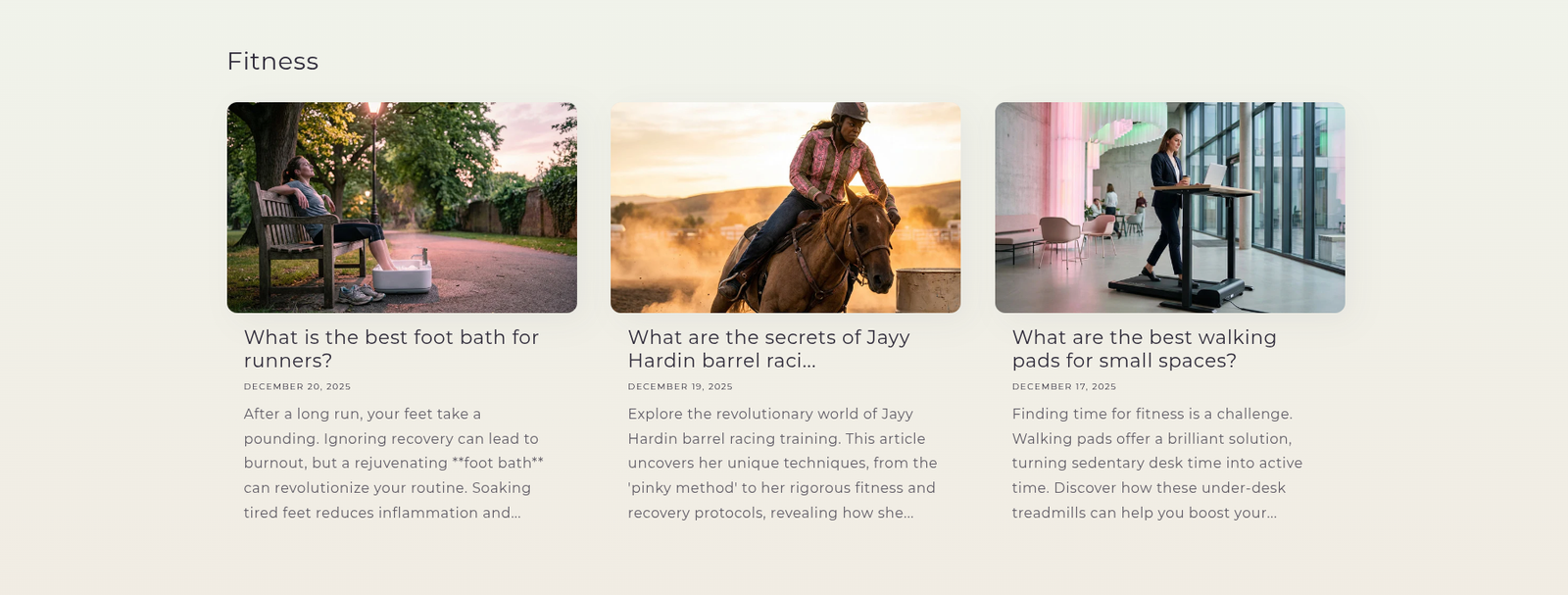
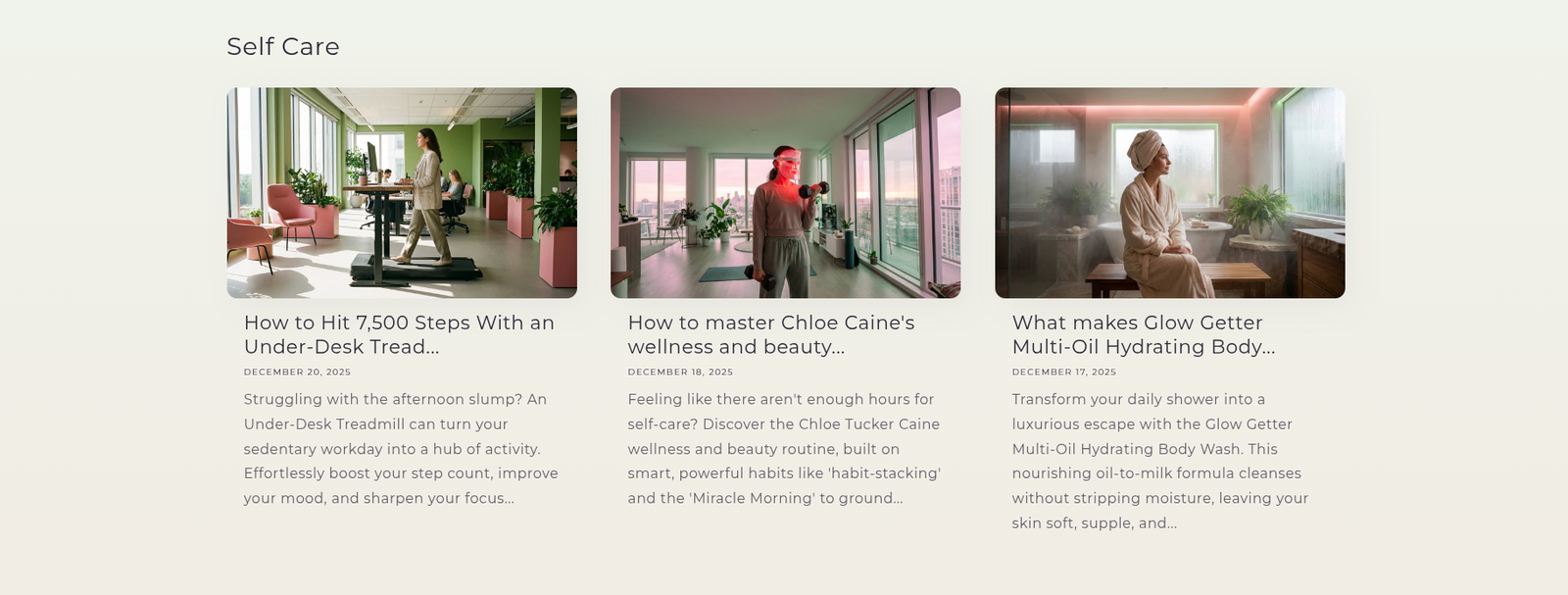
Live Examples from Pink Matcha
Fitness Content
Nutrition Content

Self Care Content
Personal Growth Content
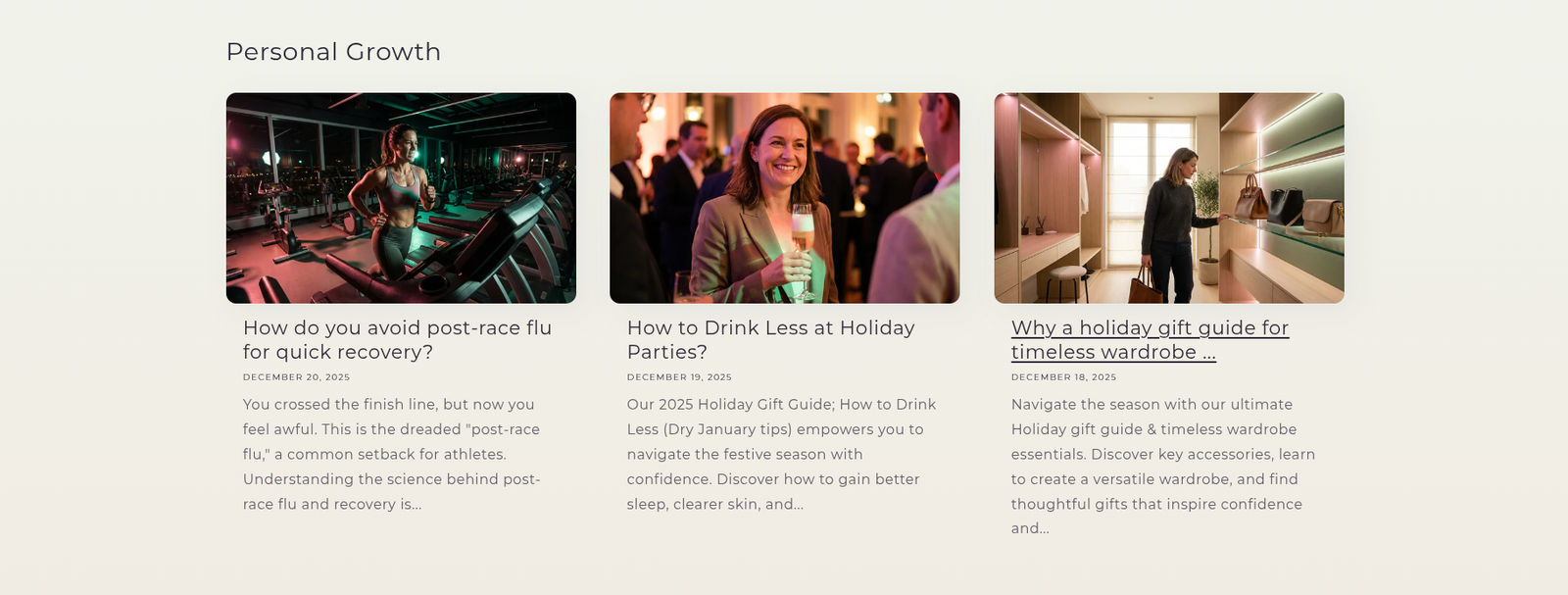
Every single one of these articles was generated automatically by this workflow.
Perfect For Every Shopify Store
🏋️ Health & Wellness Brands
Generate workout tips, nutrition guides, supplement education, and wellness advice that positions your products as solutions.
👗 Fashion & Apparel
Create style guides, trend reports, outfit inspiration, and care instructions that showcase your clothing line.
🏠 Home & Lifestyle
Produce decorating tips, organization hacks, product care guides, and seasonal content that drives home goods sales.
💄 Beauty & Skincare
Develop routine guides, ingredient education, application tutorials, and trend analysis that supports cosmetics sales.
🎮 Hobbies & Collectibles
Write product reviews, how to guides, industry news, and collector tips that engage enthusiasts.
📱 Tech & Gadgets
Generate setup guides, comparison articles, tech news, and troubleshooting content for electronics stores.
What's Included in Your Purchase
4 Complete n8n Workflows
- Shopify Blog Automation - The core automation engine
- Gemini Image Generator Tool - AI powered featured image creation with brand consistency
- Web Search Tool - Real time web research using OpenAI GPT 4O Search
- Link Validator Tool - Ensures all URLs work before publishing
Complete Documentation
- Step by step setup guide (Technical Setup.md)
- Video walkthrough (coming soon)
- Google Sheets templates for RSS feeds and categories
- Example configurations for multiple niches
Lifetime Access & Updates
- All future workflow improvements
- New features as they're released
- Updated documentation
- Priority email support
How It Works (Simple 3 Step Process)
Step 1: Configure Your RSS Feeds
Add trusted content sources from your industry into a Google Sheet. The workflow monitors these for fresh content daily.
Step 2: AI Generates Unique Articles
Google Gemini reads source articles, understands your niche, and creates completely original blog posts optimized for SEO and your brand voice.
Step 3: Auto Publish to Shopify
Articles are automatically formatted, categorized, and published to your Shopify blog—no manual work required.
That's it. Your blog grows on autopilot.
Technical Specs (For the Curious)
- AI Content Engine: Google Gemini for blog content generation
- AI Image Engine: Google Gemini 3 Pro Image Preview (16:9 branded images)
- Web Search: OpenAI GPT-4O SEARCH PREVIEW for real time research
- Vector Search: MongoDB Atlas (prevents duplicate topics)
- Embeddings: OpenAI text-embedding-3-small for semantic matching
- Platform: n8n workflow automation
- Integration: Native Shopify Admin API & OAuth2
- Social: Auto post to Twitter (optional)
- Scalability: 1 to 10+ articles per day with custom featured images
Full technical documentation included with purchase.
Frequently Asked Questions
Q: Do I need coding skills? A: No! Import the workflows, configure your credentials, and you're ready. Full setup guide included (~60 to 90 minutes).
Q: What are the monthly costs? A: ~$30 to 60/month (Google Gemini API + OpenAI + MongoDB free tier + n8n self to hosted). Way cheaper than hiring writers.
Q: How many articles can it generate? A: Unlimited. Run it daily for 30 to 90 articles/month, or adjust frequency to your needs.
Q: Will the content be unique? A: 100% original. AI creates new content inspired by sources, never copies. Vector search prevents duplicate topics.
Q: Can I use this for my niche? A: Yes! Works for ANY niche. Just configure your RSS feeds and categories. Tech, fashion, home, beauty, gaming—anything.
Q: Does it work with WordPress or other platforms? A: This version is built for Shopify. The workflow can be adapted for WordPress, Ghost, Medium, or custom sites.
Q: How long are the articles? A: Configurable. Default is 800 to 1200 words. Adjust AI prompts for shorter (500w) or longer (2000w+) content.
Q: Can I review articles before publishing? A: Yes! Set to "draft" mode, review in Shopify, edit if needed, then publish manually.
Q: What languages does it support? A: Google Gemini supports 100+ languages. Configure the AI prompts to generate content in your target language.
Q: What's your refund policy? A: No refunds. Please review this page and the live examples before purchasing.
Still Not Sure? See The Results
Visit pinkmatcha.co to see this workflow in action. Every article. Every category. All automated.
Read the articles. Check the formatting. See the SEO optimization. Experience the quality.
Then imagine this running on YOUR Shopify store.
Questions? We're Here to Help
📧 Email: jay@emp0.com
💬 Community: Join our Skool
📚 Documentation: Comprehensive guides included
🎥 Videos: Setup tutorials (coming soon)
About emp0
We build production ready n8n automation workflows used by hundreds of businesses worldwide. Our workflows save companies thousands of hours and tens of thousands of dollars every month.
- 🛍️ Premium Workflows: store.emp0.com
- 🆓 Free Workflows: emp0.com/automation-workflows
- 🐦 Twitter: @emp0_com
- 🎯 Live Example: Pink Matcha Blog
Don't Let Your Competitors Outrank You
While you're manually writing one blog post per week, your competitors could be publishing daily with AI automation.
Every day you wait is another day without:
- Fresh SEO content ranking in Google
- Educational articles converting visitors
- Authority building thought leadership
- Traffic flowing to your products
The solution is one click away.
Powered by n8n • Google Gemini • OpenAI • MongoDB • Shopify
Generate and Publish SEO-Optimized Shopify Blog Articles with AI
This n8n workflow automates the process of generating SEO-optimized blog articles for Shopify and publishing them, leveraging the power of AI models like Google Gemini and OpenAI's ChatGPT. It streamlines content creation, ensures articles meet SEO standards, and handles the publishing process, saving time and effort for e-commerce businesses.
What it does
This workflow performs the following key steps:
- Triggers on Schedule: The workflow starts on a predefined schedule, ensuring regular content generation.
- Fetches Blog Post Ideas: It retrieves blog post ideas from a Google Sheet, which serves as the content queue.
- Filters for New Ideas: It checks if a blog post idea has already been processed by querying a MongoDB database. Only new ideas proceed.
- Generates SEO-Optimized Article with AI:
- It uses an AI Agent (powered by Google Gemini or OpenAI Chat Model) to generate a comprehensive blog article.
- The AI Agent is equipped with various tools:
- Think Tool: For internal reasoning and planning.
- Call n8n Workflow Tool: To execute sub-workflows for specific tasks (e.g., generating content sections).
- MongoDB Atlas Vector Store: To retrieve relevant information for content generation, ensuring factual accuracy and context.
- The AI agent generates the article title, meta description, and the main content.
- Parses AI Output: A Structured Output Parser extracts the generated title, meta description, and article content into a structured format.
- Publishes to Shopify: The generated article is then published to a Shopify store as a new blog post.
- Updates Google Sheet: The status of the blog post idea in the Google Sheet is updated to "Published".
- Records in MongoDB: The details of the published article are stored in MongoDB, preventing duplicate processing in the future.
- Announces on X (Twitter): A tweet is automatically posted to X (formerly Twitter) announcing the new blog article.
Prerequisites/Requirements
To use this workflow, you will need:
- n8n Instance: A running n8n instance.
- Google Sheets Account: To manage blog post ideas.
- MongoDB Account/Instance: For storing processed blog post ideas and potentially vector embeddings.
- Shopify Account: To publish the generated blog articles.
- X (formerly Twitter) Account: To announce new articles.
- OpenAI API Key: For the OpenAI Chat Model and Embeddings.
- Google Gemini API Key: For the Google Gemini Chat Model.
- MongoDB Atlas Vector Search: Configured for the MongoDB Atlas Vector Store tool.
- LangChain Nodes: Ensure the
@n8n/n8n-nodes-langchainpackage is installed in your n8n instance.
Setup/Usage
- Import the Workflow: Download the provided JSON and import it into your n8n instance.
- Configure Credentials:
- Set up credentials for Google Sheets, MongoDB, Shopify, and X (formerly Twitter).
- Configure OpenAI API Key and/or Google Gemini API Key credentials for the respective AI models.
- Google Sheet Setup:
- Create a Google Sheet with a column for blog post ideas (e.g., "Blog Idea") and a column for status (e.g., "Status").
- Update the "Google Sheets" node with your Spreadsheet ID and sheet name.
- MongoDB Setup:
- Ensure you have a MongoDB database and collection set up to store processed blog post details.
- Configure the "MongoDB" nodes with your MongoDB credentials and collection names.
- Set up your MongoDB Atlas Vector Search index if you plan to use the "MongoDB Atlas Vector Store" tool.
- Shopify Setup:
- Configure the "Shopify" node with your Shopify store credentials.
- Specify the blog ID where the articles should be published.
- X (Twitter) Setup:
- Configure the "X" node with your X (Twitter) API credentials.
- AI Agent Configuration:
- Review the "AI Agent" node and its connected tools.
- Select your preferred Chat Model (OpenAI or Google Gemini).
- Ensure the "MongoDB Atlas Vector Store" tool is correctly configured with your MongoDB Atlas connection details and index name.
- Schedule Trigger: Configure the "Schedule Trigger" node to run the workflow at your desired interval (e.g., daily, weekly).
- Activate the Workflow: Once all configurations are complete, activate the workflow.
This workflow is designed to be highly customizable. You can adjust the AI prompts, add more tools to the AI agent, or integrate other services as needed to fit your specific content generation and publishing requirements.
Related Templates
AI-powered code review with linting, red-marked corrections in Google Sheets & Slack
Advanced Code Review Automation (AI + Lint + Slack) Who’s it for For software engineers, QA teams, and tech leads who want to automate intelligent code reviews with both AI-driven suggestions and rule-based linting — all managed in Google Sheets with instant Slack summaries. How it works This workflow performs a two-layer review system: Lint Check: Runs a lightweight static analysis to find common issues (e.g., use of var, console.log, unbalanced braces). AI Review: Sends valid code to Gemini AI, which provides human-like review feedback with severity classification (Critical, Major, Minor) and visual highlights (red/orange tags). Formatter: Combines lint and AI results, calculating an overall score (0–10). Aggregator: Summarizes results for quick comparison. Google Sheets Writer: Appends results to your review log. Slack Notification: Posts a concise summary (e.g., number of issues and average score) to your team’s channel. How to set up Connect Google Sheets and Slack credentials in n8n. Replace placeholders (<YOURSPREADSHEETID>, <YOURSHEETGIDORNAME>, <YOURSLACKCHANNEL_ID>). Adjust the AI review prompt or lint rules as needed. Activate the workflow — reviews will start automatically whenever new code is added to the sheet. Requirements Google Sheets and Slack integrations enabled A configured AI node (Gemini, OpenAI, or compatible) Proper permissions to write to your target Google Sheet How to customize Add more linting rules (naming conventions, spacing, forbidden APIs) Extend the AI prompt for project-specific guidelines Customize the Slack message formatting Export analytics to a dashboard (e.g., Notion or Data Studio) Why it’s valuable This workflow brings realistic, team-oriented AI-assisted code review to n8n — combining the speed of automated linting with the nuance of human-style feedback. It saves time, improves code quality, and keeps your team’s review history transparent and centralized.
 By higashiyama
 Dynamic Hubspot lead routing with GPT-4 and Airtable sales team distribution
AI Agent for Dynamic Lead Distribution (HubSpot + Airtable) 🧠 AI-Powered Lead Routing and Sales Team Distribution This intelligent n8n workflow automates end-to-end lead qualification and allocation by integrating HubSpot, Airtable, OpenAI, Gmail, and Slack. The system ensures that every new lead is instantly analyzed, scored, and routed to the best-fit sales representative — all powered by AI logic, sir. --- 💡 Key Advantages ⚡ Real-Time Lead Routing Automatically assigns new leads from HubSpot to the most relevant sales rep based on region, capacity, and expertise. 🧠 AI Qualification Engine An OpenAI-powered Agent evaluates the lead’s industry, region, and needs to generate a persona summary and routing rationale. 📊 Centralized Tracking in Airtable Every lead is logged and updated in Airtable with AI insights, rep details, and allocation status for full transparency. 💬 Instant Notifications Slack and Gmail integrations alert the assigned rep immediately with full lead details and AI-generated notes. 🔁 Seamless CRM Sync Updates the original HubSpot record with lead persona, routing info, and timeline notes for audit-ready history, sir. --- ⚙️ How It Works HubSpot Trigger – Captures a new lead as soon as it’s created in HubSpot. Fetch Contact Data – Retrieves all relevant fields like name, company, and industry. Clean & Format Data – A Code node standardizes and structures the data for consistency. Airtable Record Creation – Logs the lead data into the “Leads” table for centralized tracking. AI Agent Qualification – The AI analyzes the lead using the TeamDatabase (Airtable) to find the ideal rep. Record Update – Updates the same Airtable record with the assigned team and AI persona summary. Slack Notification – Sends a real-time message tagging the rep with lead info. Gmail Notification – Sends a personalized handoff email with context and follow-up actions. HubSpot Sync – Updates the original contact in HubSpot with the assignment details and AI rationale, sir. --- 🛠️ Setup Steps Trigger Node: HubSpot → Detect new leads. HubSpot Node: Retrieve complete lead details. Code Node: Clean and normalize data. Airtable Node: Log lead info in the “Leads” table. AI Agent Node: Process lead and match with sales team. Slack Node: Notify the designated representative. Gmail Node: Email the rep with details. HubSpot Node: Update CRM with AI summary and allocation status, sir. --- 🔐 Credentials Required HubSpot OAuth2 API – To fetch and update leads. Airtable Personal Access Token – To store and update lead data. OpenAI API – To power the AI qualification and matching logic. Slack OAuth2 – For sending team notifications. Gmail OAuth2 – For automatic email alerts to assigned reps, sir. --- 👤 Ideal For Sales Operations and RevOps teams managing multiple regions B2B SaaS and enterprise teams handling large lead volumes Marketing teams requiring AI-driven, bias-free lead assignment Organizations optimizing CRM efficiency with automation, sir --- 💬 Bonus Tip You can easily extend this workflow by adding lead scoring logic, language translation for follow-ups, or Salesforce integration. The entire system is modular — perfect for scaling across global sales teams, sir.
 By MANISH KUMAR
Track daily moods with AI analysis & reports using GPT-4o, Data Tables & Gmail
Track your daily mood in one tap and receive automated AI summaries of your emotional trends every week and month. Perfect for self-reflection, wellness tracking, or personal analytics. This workflow logs moods sent through a webhook (/mood) into Data Tables, analyzes them weekly and monthly with OpenAI (GPT-4o), and emails you clear summaries and actionable recommendations via Gmail. ⚙️ How It Works Webhook – Mood → Collects new entries (🙂, 😐, or 😩) plus an optional note. Set Mood Data → Adds date, hour, and note fields automatically. Insert Mood Row → Stores each record in a Data Table. Weekly Schedule (Sunday 20:00) → Aggregates the last 7 days and sends a summarized report. Monthly Schedule (Day 1 at 08:00) → Aggregates the last 30 days for a deeper AI analysis. OpenAI Analysis → Generates insights, patterns, and 3 actionable recommendations. Gmail → Sends the full report (chart + AI text) to your inbox. 📊 Example Auto-Email Weekly Mood Summary (last 7 days) 🙂 5 ██████████ 😐 2 ████ 😩 0 Average: 1.7 (Positive 🙂) AI Insights: You’re trending upward this week — notes show that exercise days improved mood. Try keeping short walks mid-week to stabilize energy. 🧩 Requirements n8n Data Tables enabled OpenAI credential (GPT-4o or GPT-4 Turbo) Gmail OAuth2 credential to send summaries 🔧 Setup Instructions Connect your credentials: Add your own OpenAI and Gmail OAuth2 credentials. Set your Data Table ID: Open the Insert Mood Row node and enter your own Data Table ID. Without this, new moods won’t be stored. Replace the email placeholder: In the Gmail nodes, replace your.email@example.com with your actual address. Deploy and run: Send a test POST request to /mood (e.g. { "mood": "🙂", "note": "productive day" }) to log your first entry. ⚠️ Before activating the workflow, ensure you have configured the Data Table ID in the “Insert Mood Row” node. 🧠 AI Analysis Interprets mood patterns using GPT-4o. Highlights trends, potential triggers, and suggests 3 specific actions. Runs automatically every week and month. 🔒 Security No personal data is exposed outside your n8n instance. Always remove or anonymize credential references before sharing publicly. 💡 Ideal For Personal mood journaling and AI feedback Therapists tracking client progress Productivity or self-quantification projects 🗒️ Sticky Notes Guide 🟡 Mood Logging Webhook POST /mood receives mood + optional note. ⚠️ Configure your own Data Table ID in the “Insert Mood Row” node before running. 🟢 Weekly Summary Runs every Sunday 20:00 → aggregates last 7 days → generates AI insights + emails report. 🔵 Monthly Summary Runs on Day 1 at 08:00 → aggregates last 30 days → creates monthly reflection. 🟣 AI Analysis Uses OpenAI GPT-4o to interpret trends and recommend actions. 🟠 Email Delivery Sends formatted summaries to your inbox automatically.
 By Jose Castillo